Category: Business

  • Scaling Your Store: Expert Reviews of E-Commerce Marketing Tools and Strategies

    Scaling Your Store: Expert Reviews of E-Commerce Marketing Tools and Strategies

    Scaling Your Store: Expert Reviews of E-Commerce Marketing Tools and Strategies in 2025

    I. Core Strategies for E-commerce Scaling in 2025

    1. Hyper-Personalization and Customer Segmentation: Generic marketing is out. In 2025, successful scaling hinges on understanding individual customer behavior, preferences, and purchase history to deliver highly relevant product recommendations, offers, and content. This requires robust data collection and AI-driven insights.
    2. Omnichannel Engagement: Customers interact with brands across numerous touchpoints (website, email, SMS, social media, apps, in-store). An omnichannel strategy ensures a consistent, seamless experience, allowing customers to move effortlessly between channels. Key elements include integrating online and offline experiences (e.g., BOPIS – Buy Online, Pick Up In Store), unified inventory management, and consistent messaging.
    3. Customer Lifetime Value (CLTV) & Retention Focus: Acquiring new customers is expensive. Scaling profitably means maximizing the value of existing customers through loyalty programs, exceptional post-purchase experiences, re-engagement campaigns, and proactive customer support.
    4. AI-Powered Automation: AI is no longer a luxury but a necessity for scaling. It automates repetitive tasks (email flows, ad optimization, customer service), powers personalization, analyzes vast datasets for insights, and helps predict customer behavior.
    5. Data-Driven Decision Making: Every marketing effort must be measurable. Utilize analytics to track KPIs, identify bottlenecks in the customer journey, and continuously optimize campaigns for better ROI. Predictive analytics is increasingly important for anticipating trends.
    6. Diversified Customer Acquisition (Beyond Paid Ads): While paid ads remain crucial, diversify your channels. Invest in SEO, content marketing, influencer collaborations, social commerce (especially TikTok and Instagram Shopping), and affiliate programs to build sustainable, organic growth.
    7. Mobile-First Optimization: With mobile commerce dominating, ensure your website, emails, and ads are flawlessly optimized for smartphones and tablets, focusing on speed, user experience, and simplified checkout.
    8. Immersive Commerce & Live Shopping: Technologies like AR for virtual try-ons and live shopping events are enhancing engagement and conversion, offering more interactive and personalized experiences.

    II. Top E-commerce Marketing Tools & Platforms (Expert Reviews)

    A. Marketing Automation & CRM (Customer Experience Champions): These platforms are the backbone of scaling, enabling personalized communication and automated workflows.

    1. Klaviyo (E-commerce Gold Standard for Email & SMS)
      • Expert Review: Klaviyo remains the undisputed leader for e-commerce-specific email and SMS marketing automation in 2025. Its deep integrations with major e-commerce platforms (Shopify, BigCommerce, Magento) allow for granular segmentation based on purchase history, Browse behavior, and customer lifetime value. Its pre-built flows (abandoned cart, welcome series, win-back) are highly effective, and its new AI features for subject line generation and content optimization are boosting performance.
      • Pros: Powerful segmentation, highly customizable automation flows, strong analytics, excellent deliverability, integrated SMS, growing AI capabilities.
      • Cons: Can be pricey for large contact lists; learning curve for advanced features.
      • Best For: E-commerce stores of all sizes prioritizing email/SMS marketing, personalized customer journeys, and robust analytics.
    2. Omnisend (Omnichannel for Growth)
      • Expert Review: Omnisend is a strong contender for e-commerce brands seeking true omnichannel automation. It combines email, SMS, push notifications, and even some messaging app integrations into unified workflows. Its ease of use for setting up complex automations and its focus on e-commerce metrics make it a valuable tool for scaling.
      • Pros: True omnichannel capabilities, user-friendly interface, strong e-commerce integrations, good for businesses expanding beyond email.
      • Cons: Automation can sometimes be less nuanced than Klaviyo for deep e-commerce-specific needs; reporting may be less detailed.
      • Best For: E-commerce businesses looking for an all-in-one, user-friendly omnichannel marketing automation platform.
    3. ActiveCampaign (Automation & CRM Powerhouse)
      • Expert Review: While not exclusively e-commerce, ActiveCampaign offers incredibly robust automation capabilities that integrate well with e-commerce platforms. Its strength lies in advanced CRM functionalities, lead scoring, and highly complex, branching automation workflows that can cater to very specific customer journeys beyond standard e-commerce flows.
      • Pros: Unmatched automation flexibility, strong CRM, excellent segmentation, good for businesses with longer sales cycles or complex customer nurturing.
      • Cons: Steeper learning curve than e-commerce-specific platforms; some e-commerce integrations might require more setup.
      • Best For: E-commerce stores with complex customer lifecycle needs, B2B e-commerce, or those needing robust CRM integration alongside marketing automation.

    B. Paid Advertising Platforms (Driving Targeted Traffic):

    1. Google Ads (High-Intent Customer Acquisition)
      • Expert Review: Google Ads remains critical in 2025 for capturing high-intent customers who are actively searching for products. Its strength lies in Search Ads, Shopping Ads (which are increasingly dynamic and AI-optimized), and YouTube Ads. AI-driven Smart Bidding and Performance Max campaigns are essential for maximizing ROI.
      • Pros: Reaches users with high purchase intent, diverse ad formats (Search, Shopping, Display, YouTube), powerful AI optimization, access to immense search volume.
      • Cons: Can be expensive and competitive; requires careful management and optimization.
      • Best For: Any e-commerce store, especially those with products frequently searched for, and those leveraging video content.
    2. Meta Ads (Facebook & Instagram) (Audience Building & Social Commerce)
      • Expert Review: Meta’s advertising platform continues to be a powerhouse for audience building, brand awareness, and driving purchases through social commerce (Facebook/Instagram Shops, Reels ads). Despite privacy changes impacting targeting, Meta’s AI-driven delivery system, combined with compelling short-form video creative, remains highly effective for reaching broad, engaged audiences and nurturing communities.
      • Pros: Massive user base, strong visual ad formats (images, video, carousels), powerful retargeting capabilities, integrated social commerce features.
      • Cons: Increasing ad costs; targeting accuracy can be challenging due to privacy updates; requires high-quality creative.
      • Best For: Brands focused on visual products, building community, leveraging user-generated content, and direct-to-consumer (DTC) sales.
    3. TikTok Ads (Emerging Social Commerce Powerhouse)
      • Expert Review: TikTok is no longer “emerging” for e-commerce; it’s a critical channel in 2025, especially for reaching younger demographics and leveraging viral trends. TikTok Shop’s growth makes it a powerful direct sales channel. Its ad platform favors authentic, short-form video content that blends seamlessly with user feeds.
      • Pros: High engagement, virality potential, strong for brand discovery, growing in-app shopping capabilities.
      • Cons: Content creation demands a specific, often less polished, style; analytics can be less robust than Meta/Google; audience skews younger.
      • Best For: Brands targeting Gen Z and Millennials, those with visually appealing products, and those willing to experiment with dynamic video content.
    4. Amazon Ads (Marketplace Dominance)
      • Expert Review: For brands selling on Amazon, Amazon Ads is non-negotiable. It allows you to dominate search results within the marketplace, driving visibility and sales directly where purchase intent is highest. Ad types include Sponsored Products, Sponsored Brands, and Sponsored Display.
      • Pros: Direct access to Amazon’s vast customer base, high purchase intent, strong for product discovery on the platform.
      • Cons: Only relevant for Amazon sellers; can be competitive within popular product categories.
      • Best For: Any brand selling products on Amazon.

    C. Conversion Rate Optimization (CRO) & Analytics (Maximizing Every Visitor):

    1. Google Analytics 4 (GA4) (Unified Data & Predictive Insights)
      • Expert Review: GA4 is the indispensable analytics platform for 2025. It provides a unified view of user behavior across websites and apps, with a strong emphasis on events, machine learning, and predictive analytics. It’s essential for understanding customer journeys, identifying drop-off points, and optimizing conversion funnels.
      • Pros: Event-based data model, cross-platform tracking, AI-powered insights, predictive capabilities (churn probability, purchase probability).
      • Cons: Steeper learning curve than previous versions; requires careful setup for accurate data.
      • Best For: All e-commerce stores for comprehensive data analysis, audience insights, and performance monitoring.
    2. Hotjar (User Behavior Insights)
      • Expert Review: Hotjar offers invaluable qualitative insights into user behavior. Its heatmaps, session recordings, and feedback polls help you visualize how users interact with your site, identify friction points, and understand “why” customers aren’t converting.
      • Pros: Visual representation of user behavior (heatmaps, scroll maps), session replays, direct user feedback tools, intuitive interface.
      • Cons: Can be resource-intensive (recording large volumes of sessions); insights require manual analysis.
      • Best For: Optimizing product pages, checkout flows, and landing pages by understanding user friction.
    3. Optimizely / VWO (A/B Testing & Personalization)
      • Expert Review: These platforms are leaders in A/B testing, multivariate testing, and experimentation. They allow you to test different versions of website elements (headlines, CTAs, layouts) to identify what resonates best with your audience, directly boosting conversion rates. Many now integrate AI for personalized content delivery based on test results.
      • Pros: Robust testing capabilities, powerful for data-driven optimization, features for advanced personalization.
      • Cons: Can be complex and expensive for smaller stores; requires a structured testing approach.
      • Best For: Mid-to-large e-commerce stores committed to continuous optimization and data-driven improvements.

    D. SEO & Content Marketing (Organic Growth & Authority):

    1. Semrush / Ahrefs (All-in-One SEO & Competitor Analysis)
      • Expert Review: These tools are indispensable for e-commerce SEO. They provide comprehensive keyword research, competitor analysis, site audits, backlink analysis, and content optimization features. Their AI-powered content insights help create search-engine-friendly product descriptions and blog posts.
      • Pros: Extensive feature set for all aspects of SEO, strong competitor intelligence, valuable for identifying content gaps.
      • Cons: Can be expensive for full feature sets; steep learning curve to master all functionalities.
      • Best For: Any e-commerce store serious about driving organic traffic and outranking competitors.
    2. Surfer SEO (Content Optimization for Rankings)
      • Expert Review: Surfer SEO excels at helping you optimize content for specific keywords by analyzing top-ranking pages and providing data-driven recommendations on keywords, headings, and content structure. It’s particularly useful for product pages and blog content.
      • Pros: Excellent for on-page SEO optimization, easy to use, integrates with content writing workflows.
      • Cons: Focuses primarily on content optimization; not a comprehensive SEO suite.
      • Best For: E-commerce businesses focused on optimizing individual product pages and blog posts for search rankings.

    E. Customer Retention & Loyalty (Building Brand Advocates):

    1. Smile.io / LoyaltyLion (Loyalty & Rewards Programs)
      • Expert Review: These platforms enable e-commerce stores to create sophisticated loyalty programs (points, tiers, referrals) that incentivize repeat purchases, customer engagement, and referrals. They integrate seamlessly with e-commerce platforms and marketing automation tools.
      • Pros: Drives repeat purchases, increases CLTV, fosters community, highly customizable.
      • Cons: Requires consistent promotion and management; success depends on compelling rewards.
      • Best For: Stores looking to build strong customer relationships, reduce churn, and leverage word-of-mouth marketing.
    2. Yotpo (User-Generated Content & Reviews)
      • Expert Review: Yotpo is a powerful platform for collecting and leveraging user-generated content (UGC) like reviews, photos, and Q&A. In 2025, UGC is crucial for building trust and social proof, directly impacting conversion rates. Yotpo also offers integrated SMS marketing and loyalty programs.
      • Pros: Boosts social proof and trust, increases conversions, automates review collection, integrated marketing features.
      • Cons: Can be expensive for its full suite of features.
      • Best For: E-commerce businesses that want to maximize the impact of customer reviews and leverage UGC across their marketing channels.

    Conclusion: The Future of E-commerce Marketing for Scaling

    Scaling your e-commerce store in 2025 is less about individual hacks and more about building an interconnected ecosystem of strategies and tools. The emphasis is firmly on:

    • Customer-Centricity: Understanding and anticipating customer needs through data and personalization.
    • Automation & AI: Leveraging technology to create efficiencies and intelligent marketing.
    • Omnichannel Cohesion: Providing seamless experiences across all touchpoints.
    • Measurable ROI: Constantly tracking performance and optimizing campaigns for profitability.

    By strategically investing in these tools and implementing the discussed strategies, e-commerce stores can not only weather the competitive landscape but truly thrive and scale their operations effectively in the coming years.
  • Decoding Digital: Tech Reviews and Tips to Enhance Your Online Presence and Security

    Decoding Digital: Tech Reviews and Tips to Enhance Your Online Presence and Security

    What are the top cybersecurity threats and solutions for individuals and small businesses in 2025? Which privacy-enhancing technologies (PETs) are essential for personal online security in 2025? What are the best practices and tools for managing and enhancing online presence in 2025? What are the most recommended password managers, VPNs, and antivirus software for 2025? What are the latest trends in social media privacy and online identity management in 2025? Online presence enhancement tools 2025 reviews Cybersecurity best practices 2025 individual Digital privacy tools 2025 expert review Identity theft protection services 2025 comparison Social media privacy settings 2025 tips Secure communication apps 2025 Reputation management tools 2025 Website security essentials 2025 Data breach protection tips 2025 AI impact on online security 2025 Personal branding tools 2025 Email security solutions 2025 Mobile device security 2025 Digital footprint management 2025 Online identity verification trends 2025 Encrypted cloud storage 2025 Internet safety tips 2025 Cybercrime prevention for individuals 2025 Two-factor authentication best apps 2025 Phishing awareness training 2025 for individuals Online reputation management software 2025 Digital asset protection 2025 Data anonymization tools 2025 What’s new in internet privacy laws 2025 Digital wellbeing apps 2025 Online content creation tools 2025 for personal branding In 2025, navigating the digital world effectively means a dual focus: proactively enhancing your online presence for personal and professional growth, and rigorously fortifying your digital security and privacy. With AI becoming both a powerful tool and a significant threat vector, and the digital landscape constantly evolving, staying informed and equipped is more crucial than ever.


    Decoding Digital: Tech Reviews and Tips to Enhance Your Online Presence and Security in 2025

    I. Fortifying Your Digital Security: Essential Tools & Best Practices

    The cybersecurity landscape in 2025 is marked by increasingly sophisticated AI-powered phishing attacks, deepfakes, synthetic identity fraud, and ransomware. Protecting your digital life requires a multi-layered approach.

    A. Foundational Security Tools:

    1. Password Managers:
      • Review: In 2025, password managers are non-negotiable. They generate and securely store unique, complex passwords for all your accounts, significantly reducing your vulnerability to breaches. Many now integrate passkey support, pushing towards a passwordless future.
      • Top Picks:
        • LastPass: User-friendly, good free tier, robust features.
        • 1Password: Excellent security, strong family/team sharing, intuitive interface.
        • Bitwarden: Open-source, highly secure, great free tier, ideal for tech-savvy users.
      • Tip: Enable multi-factor authentication (MFA) on your password manager itself for an extra layer of security.
    2. Virtual Private Networks (VPNs):
      • Review: VPNs encrypt your internet connection, masking your IP address and protecting your online activity from snooping, especially on public Wi-Fi. In 2025, they’re crucial for privacy and bypassing geo-restrictions.
      • Top Picks:
        • NordVPN: Fast speeds, strong encryption, large server network, includes NordProtect for identity theft protection.
        • ExpressVPN: Renowned for speed, reliability, and ease of use.
        • Surfshark: Excellent value, unlimited simultaneous connections, strong privacy features.
      • Tip: Always use a reputable, paid VPN. Free VPNs often have limitations, sell user data, or have weaker security.
    3. Antivirus & Endpoint Protection:
      • Review: While operating systems have built-in defenses, dedicated antivirus software offers advanced threat detection, including AI-powered behavioral analysis to catch new, evasive malware and ransomware. For individuals and small businesses, a robust solution is vital.
      • Top Picks:
        • Bitdefender: Consistently scores high in independent tests for detection rates and minimal system impact. Offers mobile security features.
        • Norton 360: Comprehensive suite including antivirus, VPN, password manager, and identity theft protection.
        • Sophos Home: Enterprise-grade protection tailored for home users.
      • Tip: Keep your antivirus software updated, and run regular full system scans.
    4. Secure Communication Apps:
      • Review: End-to-end encryption is paramount for private conversations. In 2025, ensure your messaging and calling apps protect your data from interception.
      • Top Picks:
        • Signal: Widely regarded as the most secure messaging app, with strong encryption and privacy-focused features.
        • WhatsApp: Offers end-to-end encryption by default for messages and calls, but is owned by Meta.
        • Element (Matrix): Decentralized, open-source, good for secure team collaboration.
      • Tip: Verify encryption status and be mindful of metadata shared by apps.

    B. Essential Cybersecurity Best Practices for Individuals:

    1. Multi-Factor Authentication (MFA): Enable MFA on every account that supports it. Prioritize app-based authenticators (e.g., Google Authenticator, Authy, Microsoft Authenticator) or hardware keys (e.g., YubiKey) over SMS-based MFA, which can be intercepted.
    2. Regular Software Updates: Patch operating systems, browsers, and all applications promptly. Updates often include critical security fixes.
    3. Strong, Unique Passwords/Passkeys: Don’t reuse passwords. Use passphrases or leverage a password manager. Embrace passkeys where available as a more secure, phishing-resistant alternative.
    4. Beware of Phishing & Social Engineering:
      • AI-Enhanced Threat: AI-powered phishing emails and deepfake voice/video calls are increasingly realistic. Always verify the sender/caller through an independent method before clicking links or sharing information.
      • Tips: Be wary of urgent requests, unexpected attachments, or links that look slightly off. Don’t trust caller ID.
    5. Secure Your Mobile Devices: Use strong passcodes/biometrics, enable remote wipe/lock features, and avoid connecting to public Wi-Fi without a VPN. Be cautious about app permissions.
    6. Backup Data Regularly: Implement a 3-2-1 backup strategy (3 copies of data, on 2 different media, 1 offsite). Encrypted cloud storage is an excellent option.
    7. Review Privacy Settings: Regularly audit privacy settings on social media, apps, and browsers. Understand what data you are sharing and with whom.
    8. Avoid Public Wi-Fi: If unavoidable, use a VPN. Disable auto-connect, Bluetooth, and file sharing when in public.
    9. Digital Footprint Management: Regularly search for your name online. Delete old, unused accounts. Limit sensitive information shared publicly.

    II. Enhancing Your Online Presence: Tools & Tips for Impact

    Your online presence in 2025 is your digital calling card. Whether for personal branding, professional networking, or creative expression, a well-managed presence is key. AI is a game-changer here, offering powerful tools for content creation, optimization, and reputation management.

    A. Online Presence Enhancement Tools:

    1. Personal Branding & Website Builders:
      • Review: A personal website or online portfolio is essential. These platforms offer easy drag-and-drop interfaces and professional templates. AI features now assist in generating content, design elements, and SEO optimization.
      • Top Picks:
        • Squarespace: For visually stunning, content-rich portfolios and small business sites.
        • Wix: Highly customizable, user-friendly drag-and-drop, good for diverse needs.
        • Webflow: For more advanced designers and developers who want custom control without coding from scratch.
      • Tip: Ensure your site is mobile-responsive and loads quickly. Optimize images and use clear calls to action.
    2. Content Creation & AI Assistants:
      • Review: AI tools have revolutionized content creation, enabling freelancers and individuals to produce high-quality text, images, and even video efficiently.
      • Top Picks:
        • ChatGPT / Google Gemini: For brainstorming ideas, drafting outlines, writing initial copy (emails, social posts, articles), and summarizing research.
        • Jasper / Copy.ai: Specialized AI writing assistants with templates for marketing copy, blog posts, and social media content.
        • Canva AI: For AI-powered image generation, design suggestions, and quick visual content creation.
        • Descript / Synthesia: AI tools for audio/video editing, transcription, and even generating AI avatars for video content.
        • Grammarly: Essential for refining all written communication, with AI-powered suggestions for tone, clarity, and conciseness.
      • Tip: AI is a powerful assistant, not a replacement. Always review, edit, and inject your unique voice into AI-generated content.
    3. Social Media Management & Listening:
      • Review: Managing multiple social platforms can be time-consuming. These tools help schedule posts, monitor mentions, and analyze engagement. AI is increasingly used for sentiment analysis and automated responses.
      • Top Picks:
        • Buffer / Hootsuite: For scheduling posts, managing multiple accounts, and basic analytics. Many now offer AI-powered scheduling and content suggestions.
        • Mention / Brand24: For real-time brand monitoring, tracking mentions of your name or brand across the web and social media, and sentiment analysis (often AI-powered).
      • Tip: Don’t just broadcast; engage with your audience. Respond to comments and messages promptly.
    4. Online Reputation Management (ORM) Tools:
      • Review: What people say about you online matters. ORM tools help you monitor reviews, track mentions, and manage your public perception. AI is enhancing sentiment analysis and automated response suggestions.
      • Top Picks:
        • Birdeye / Podium: Comprehensive platforms for review generation, management, and customer experience.
        • Google Alerts: A free, simple tool to monitor mentions of your name or keywords across news and blogs.
        • Reputation.com / NetReputation: More robust services for managing complex reputation issues.
      • Tip: Proactively encourage positive reviews. Address negative feedback professionally and promptly.

    B. Best Practices for Enhancing Online Presence:

    1. Define Your Brand: Understand your unique value proposition and consistently communicate it across all platforms.
    2. Strategic Content Creation: Create high-quality, valuable content relevant to your target audience. Use diverse formats (blog posts, videos, podcasts, infographics).
    3. Optimize for Search Engines (SEO): Use relevant keywords, create compelling meta descriptions, and ensure your website is technically sound for search engine visibility.
    4. Network Digitally: Engage authentically on professional platforms like LinkedIn. Comment, share, and connect with peers and industry leaders.
    5. Visual Consistency: Maintain consistent branding (logos, colors, fonts) across all your online profiles and content.
    6. Regularly Update Profiles: Keep your LinkedIn, portfolio, and other professional profiles current with your latest achievements and skills.
    7. Data-Driven Insights: Use analytics from your website and social media to understand what content performs best and refine your strategy.

    Decoding Digital: A Holistic Approach

    In 2025, enhancing your online presence and bolstering your security are two sides of the same coin. A strong, secure digital foundation allows you to confidently leverage new technologies like AI for growth, while robust security measures protect your valuable online identity and assets from an ever-evolving threat landscape. Continuous learning and adaptation are your best allies in this dynamic digital age.

  • The Freelancer’s Toolkit Reviewed: Top Apps and Software for Success on Your Own Terms

    The Freelancer’s Toolkit Reviewed: Top Apps and Software for Success on Your Own Terms

    For freelancers navigating the dynamic landscape of 2025, success hinges on efficiency, organization, and seamless client communication. The “one-person show” or small team needs tools that automate tedious tasks, streamline workflows, and help manage everything from projects and finances to client relationships and marketing.

    Here’s a breakdown of the top apps and software that form the essential toolkit for freelancers looking to thrive on their own terms in 2025, with an emphasis on AI integration, user-friendliness, and scalability.


    The Freelancer’s Toolkit Reviewed: Top Apps and Software for Success on Your Own Terms in 2025

    I. All-in-One Freelance Management Platforms: Your Business Hub

    These platforms aim to consolidate multiple freelance operations into one integrated system, reducing app hopping.

    1. HoneyBook (Best for Creative & Service-Based Freelancers)
      • Honest Review: HoneyBook in 2025 continues to be a favorite among creative professionals (designers, photographers, coaches) for its beautiful interface and comprehensive features covering every stage of the client lifecycle. It excels at proposals, contracts (with e-signatures), invoicing, scheduling, and client communication, all within a single dashboard. Its automation capabilities are a lifesaver for repetitive tasks.
      • Pros: Streamlined client pipeline, professional-looking proposals/contracts, integrated payments, automated workflows, excellent client portal.
      • Cons: Can be pricey for beginners, may offer more features than a very simple freelancer needs, limited advanced accounting.
      • Best For: Freelancers managing multiple clients and projects, particularly those in creative or service-based industries who need a professional and polished client experience.
    2. Dubsado (Highly Customizable for Diverse Service Businesses)
      • Honest Review: Dubsado is renowned for its extreme customizability, making it a powerful choice for freelancers with unique workflows or complex client processes. In 2025, its robust forms, contracts, workflows, and invoicing capabilities, combined with excellent client portals, continue to impress. It offers a free trial that allows you to manage up to 3 clients before committing.
      • Pros: Deep customization for forms, contracts, and automated workflows; robust client portal; strong client management features.
      • Cons: Steeper learning curve due to high customizability; less intuitive design than HoneyBook for some users.
      • Best For: Freelancers with highly specific client onboarding processes, those who need to automate complex sequences, and users comfortable with a more hands-on setup.
    3. Fiverr Workspace (formerly And.co) (Budget-Friendly & Streamlined)
      • Honest Review: Fiverr Workspace offers a lean yet effective suite of tools for proposals, contracts, time tracking, invoicing, and basic bookkeeping. It’s a great option for freelancers who want an integrated solution without the high cost or overwhelming features of larger platforms. Its integration with the Fiverr marketplace can also be a plus for finding work.
      • Pros: Affordable (with a decent free plan), easy-to-use, covers core freelance needs, includes legal templates.
      • Cons: Less advanced features compared to premium options, basic reporting.
      • Best For: New freelancers, those on a tight budget, or individuals who prefer a minimalist, all-in-one approach.

    II. Project Management & Organization: Keeping Your Work on Track

    These tools help you manage tasks, collaborate (if needed), and visualize progress.

    1. ClickUp (Most Versatile & Customizable PM)
      • Honest Review: ClickUp in 2025 is an all-in-one productivity powerhouse that has continued to evolve its AI capabilities. It offers an incredible array of views (lists, boards, Gantt charts, calendars), making it adaptable to almost any workflow. For freelancers, it can serve as a personal CRM, project tracker, content planner, and more. Its AI features can help with task creation, summarization, and idea generation.
      • Pros: Highly customizable, extensive features for different project types, strong AI integration, good free plan.
      • Cons: Can be overwhelming initially due to its many features; mobile app can be less robust than desktop.
      • Best For: Freelancers managing complex projects, those who want a single platform for all their organizational needs, and tech-savvy individuals.
    2. Notion (Flexible Workspace & Knowledge Base)
      • Honest Review: Notion remains a freelancer favorite for its unparalleled flexibility. It’s less a project manager and more a customizable digital workspace where you can build anything from a client CRM and content calendar to project dashboards and personal wikis. Notion AI has become a significant enhancement for generating text, summarizing notes, and brainstorming ideas directly within your workspace.
      • Pros: Highly versatile, AI-powered writing and organization, excellent for building custom systems, strong knowledge management.
      • Cons: Steep learning curve to fully utilize its potential; can be less intuitive for pure task management than specialized PM tools.
      • Best For: Freelancers who enjoy building their own systems, content creators, and those needing a centralized knowledge hub.
    3. Trello (Simple Visual Task Management)
      • Honest Review: Trello, with its Kanban board system, continues to be an excellent choice for visual learners and those who prefer simplicity. It’s fantastic for organizing projects into digestible stages (e.g., “To Do,” “In Progress,” “Done”) and is great for simple client collaboration. Its “Power-Ups” (integrations) extend its functionality.
      • Pros: Extremely easy to use, highly visual, great for simple project tracking, good for client collaboration on specific tasks.
      • Cons: Can become unwieldy for very complex projects; lacks advanced features like Gantt charts or detailed reporting natively.
      • Best For: Freelancers managing straightforward projects, visual thinkers, and those who prioritize ease of use and quick setup.

    III. Invoicing & Accounting: Mastering Your Money

    Essential tools for getting paid and staying on top of your finances for tax season.

    1. FreshBooks (Best for Service-Based Freelancers & Invoicing)
      • Honest Review: FreshBooks consistently ranks high for freelancers due to its intuitive invoicing capabilities, robust time tracking, and expense management. In 2025, its automated late payment reminders and excellent mobile app make financial management less of a chore. It’s particularly strong for service-based businesses that bill by time or project.
      • Pros: Professional invoicing with customization, integrated time tracking, expense tracking (with receipt scanning), strong reporting, client payment options.
      • Cons: Can be more expensive than basic invoicing tools; advanced accounting features may require an upgrade or integration.
      • Best For: Consultants, designers, writers, and other service professionals who need to manage invoices, track time, and handle expenses efficiently.
    2. Wave (Best Free Option for Basic Accounting)
      • Honest Review: For freelancers on a budget, Wave remains an incredibly valuable tool. It offers free invoicing, receipt scanning, and basic accounting features, allowing you to track income and expenses, reconcile bank accounts, and prepare for tax time without a monthly fee. Optional paid services include payroll and payment processing.
      • Pros: Completely free for core accounting and invoicing, user-friendly interface, handles basic financial tracking.
      • Cons: Limited customer support for free users, not as feature-rich as paid alternatives, can be less robust for larger businesses.
      • Best For: New freelancers, those with simple financial needs, or individuals wanting to minimize overhead costs.
    3. QuickBooks Self-Employed (Best for Tax Preparation & Expense Categorization)
      • Honest Review: QuickBooks Self-Employed is tailored specifically for freelancers and independent contractors, focusing on simplifying income and expense tracking for tax purposes. Its standout features include automatic mileage tracking, separating business and personal expenses, and calculating estimated quarterly taxes. In 2025, its AI categorization continues to streamline bookkeeping.
      • Pros: Excellent for tax preparation (linking to TurboTax), automatic mileage and expense tracking, categorizes transactions, handles quarterly tax estimates.
      • Cons: Pricier than some alternatives, not full-fledged double-entry accounting (if you need that).
      • Best For: Freelancers needing strong tax support, those who struggle with expense categorization, and ride-share drivers or delivery professionals.

    IV. Time Tracking & Productivity: Maximizing Your Billable Hours

    These tools help you understand how you spend your time and ensure accurate billing.

    1. Toggl Track (Simple & Intuitive Time Tracking)
      • Honest Review: Toggl Track is praised for its simplicity and ease of use. It allows you to start and stop timers with a single click, categorize time by project and client, and generate clear reports. Its desktop and mobile apps sync seamlessly, making it easy to track time no matter where you are. The free plan is quite generous for individual freelancers.
      • Pros: User-friendly, generous free tier, integrates with many project management tools, detailed reporting.
      • Cons: Not as many features beyond time tracking compared to all-in-one suites.
      • Best For: Freelancers who primarily need accurate time tracking for billing and productivity insights.
    2. Clockify (Free & Feature-Rich Time Tracking)
      • Honest Review: Clockify stands out as a powerful free time tracker that offers more features than many paid alternatives. It allows unlimited users, projects, and clients, making it suitable even for small freelance teams. It includes timesheets, reporting, and basic project management functionalities.
      • Pros: Free for unlimited users/projects, robust features, timesheet and reporting capabilities, good for teams.
      • Cons: User interface can be less polished than some paid competitors.
      • Best For: Budget-conscious freelancers or small teams needing comprehensive time tracking and basic project management.
    3. Harvest (Time Tracking with Integrated Invoicing)
      • Honest Review: Harvest goes beyond just time tracking, allowing you to turn tracked hours directly into professional invoices. It also offers expense tracking and project budgeting. In 2025, its focus on streamlined workflows between time and billing makes it a powerful option for freelancers who bill hourly.
      • Pros: Seamless integration of time tracking and invoicing, expense tracking, project budgeting, clean interface.
      • Cons: Paid plans can be more expensive if you only need basic time tracking.
      • Best For: Freelancers who bill hourly and want an integrated solution for time tracking, invoicing, and expense management.

    V. Communication & Collaboration: Staying Connected

    Crucial for working effectively with clients and other freelancers.

    1. Slack (Real-time Team Communication)
      • Honest Review: Slack remains the gold standard for real-time team communication. While often used by larger teams, freelancers benefit from its channel-based organization (e.g., a channel per client), direct messaging, and robust integrations. Many clients also use Slack, making collaboration seamless.
      • Pros: Excellent for organized conversations, robust search, file sharing, extensive integrations, clear separation of topics.
      • Cons: Can be distracting if not managed well; free plan has message history limitations.
      • Best For: Freelancers working with multiple clients who use Slack, or those collaborating with other freelancers on projects.
    2. Zoom / Google Meet (Video Conferencing & Screen Sharing)
      • Honest Review: Both Zoom and Google Meet remain essential for virtual meetings, client presentations, and screen sharing in 2025. They offer reliable video quality, screen sharing, and recording capabilities. Google Meet integrates seamlessly with the Google Workspace ecosystem.
      • Pros (both): Reliable video and audio, screen sharing, recording, virtual backgrounds.
      • Cons: Free tiers have time limits for group calls; can be draining if overused.
      • Best For: All freelancers who need to conduct virtual meetings, presentations, or demonstrate work.
    3. Loom (Asynchronous Video Messaging)
      • Honest Review: Loom has become a game-changer for asynchronous communication. Instead of long emails or scheduled meetings, you record short video messages (screen, webcam, or both) and share a link. It’s perfect for explaining complex ideas, giving feedback, or quickly demonstrating a website change. AI features for summaries are a growing benefit.
      • Pros: Saves time, reduces meetings, clear explanations, good for different time zones, easy sharing.
      • Cons: Can be less personal than live calls for initial client interactions.
      • Best For: Designers, developers, project managers, and anyone who needs to convey visual or step-by-step information clearly and efficiently.

    VI. AI & Writing Assistants: Boosting Productivity & Quality

    Leveraging AI to streamline tasks and enhance output.

    1. ChatGPT / Google Gemini (Generative AI Chatbots)
      • Honest Review: These AI models are indispensable in 2025. They can assist with brainstorming, drafting emails, generating content outlines, summarizing research, writing code snippets, and even refining marketing copy. Google Gemini benefits from its deep integration with Google’s ecosystem.
      • Pros: Versatile, boosts idea generation and content creation, time-saving.
      • Cons: Requires careful prompting for best results; always fact-check AI-generated content for accuracy.
      • Best For: All freelancers for brainstorming, content drafting, research summaries, and general productivity enhancement.
    2. Grammarly (Writing Enhancement & AI-Powered Feedback)
      • Honest Review: Grammarly is more than just a spelling and grammar checker in 2025. Its AI-powered suggestions improve clarity, conciseness, tone, and overall writing quality. It’s an essential tool for all written communication, from client emails to blog posts.
      • Pros: Real-time feedback, improves writing quality, detects tone, plagiarism checker (premium), integrates with many platforms.
      • Cons: Premium version is necessary for advanced features; sometimes offers overly formal suggestions.
      • Best For: All freelancers for professional written communication; particularly critical for writers, marketers, and anyone producing client-facing content.
    3. Perplexity AI (AI Search Engine with Citations)
      • Honest Review: For quick and reliable research, Perplexity AI stands out. Unlike traditional search engines or general chatbots, it provides direct answers to your questions with cited sources, making it excellent for factual verification and quick understanding of complex topics.
      • Pros: Provides summarized answers with verifiable sources, great for quick research and fact-checking, reduces time spent sifting through search results.
      • Cons: Can sometimes struggle with very niche or abstract queries.
      • Best For: Researchers, writers, content creators, and any freelancer needing quick, reliable information backed by sources.

    VII. Other Essential Tools:

    • Cloud Storage (Google Drive / Dropbox / OneDrive): For secure file sharing, collaboration, and backup. Essential for seamless access to your work from anywhere.
    • eSignature Tools (DocuSign / HelloSign): For legally binding digital signatures on contracts and agreements, speeding up client onboarding.
    • Website/Portfolio Builders (Webflow / Squarespace / Wix): Essential for showcasing your work and attracting new clients. Choose one that reflects your design needs and technical comfort.
    • Social Media Management (Buffer / Hootsuite): If you’re actively marketing your freelance services on social media, these tools help schedule posts and analyze performance.
    • VPN (NordVPN / ExpressVPN): For securing your internet connection, especially when working on public Wi-Fi, crucial for data privacy and security.

    Building Your Perfect Toolkit: On Your Own Terms

    In 2025, the freelancer’s toolkit is more interconnected and intelligent than ever. When choosing your apps and software:

    1. Prioritize Integration: Look for tools that play well together to avoid data silos and manual transfers.
    2. Leverage AI Strategically: Identify where AI can truly automate tedious tasks (writing, research, scheduling) rather than just being a novelty.
    3. Start Lean, Then Scale: Begin with essential tools and add more as your business grows and your needs become clearer. Don’t fall into the trap of “tool overload.”
    4. Consider the Cost vs. Value: Many tools offer free tiers that are sufficient for beginners. Evaluate if the paid features genuinely save you time or generate more income.
    5. Focus on Your Workflow: Choose tools that complement your natural working style rather than forcing you into a rigid system.

    By carefully curating your digital toolkit, you can boost your productivity, impress clients, and build a sustainable and successful freelance career on your own terms.

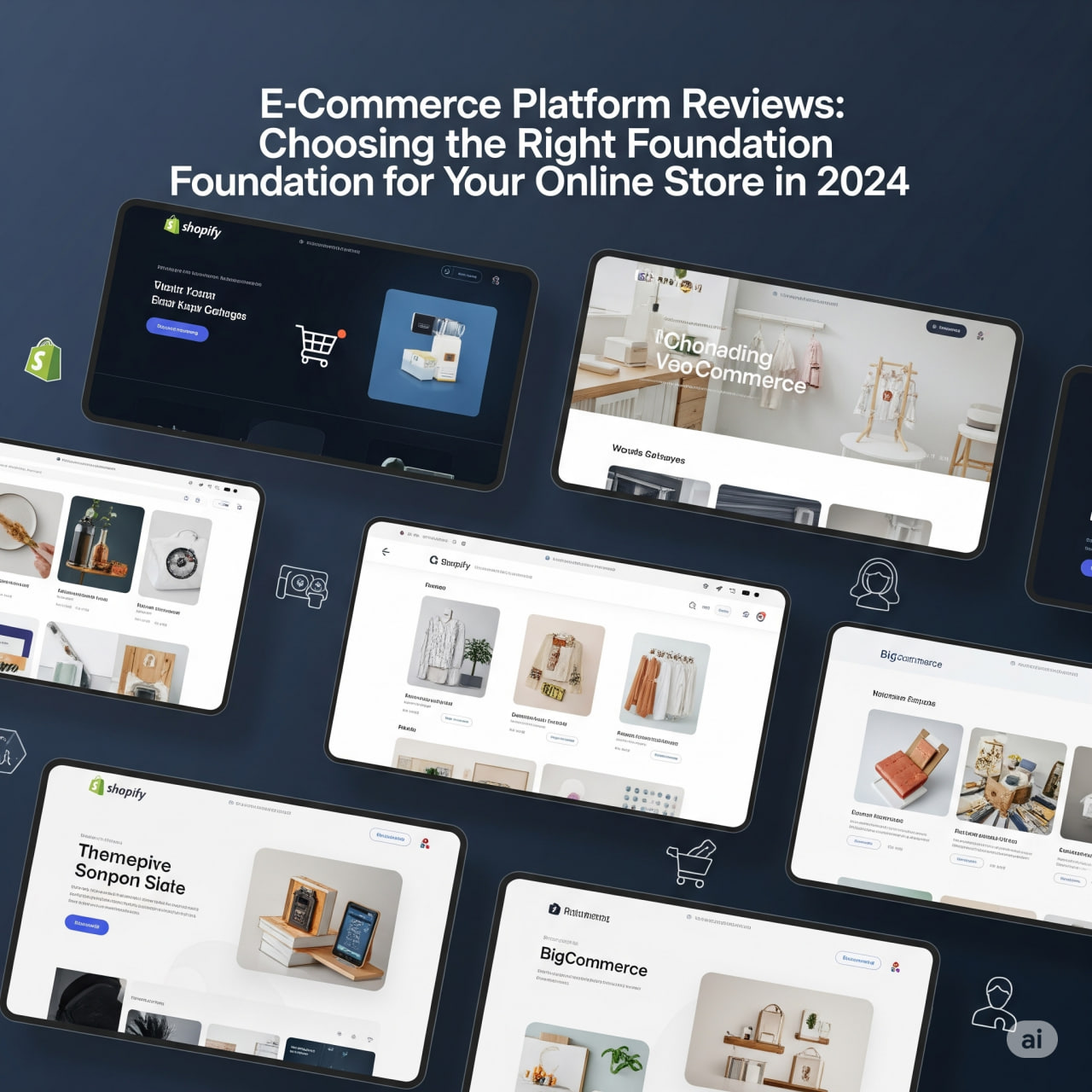
  • E-Commerce Platform Reviews: Choosing the Right Foundation for Your Online Store in 2024

    E-Commerce Platform Reviews: Choosing the Right Foundation for Your Online Store in 2024

    Building a successful online store in 2025 demands a robust e-commerce platform that can adapt to rapid technological advancements and evolving customer expectations. The landscape is increasingly dominated by AI-powered personalization, seamless omnichannel experiences, immersive commerce (AR/VR), social commerce, and the imperative of mobile-first design. Choosing the right foundation now is critical for future scalability and competitiveness.

    Here’s an honest review of the leading e-commerce platforms in 2025, categorized by their core strengths and best fit for different business needs:


    E-Commerce Platform Reviews: Choosing the Right Foundation for Your Online Store in 2025

    The choice between a hosted (SaaS) and a self-hosted (open-source) platform remains fundamental. Hosted solutions offer convenience, speed, and managed infrastructure, ideal for those seeking simplicity. Self-hosted platforms provide unparalleled control and customization, suited for businesses with specific, complex requirements and dedicated technical resources.

    I. Hosted (SaaS) E-commerce Platforms: Agility and All-in-One Solutions

    Hosted platforms manage the technical infrastructure (hosting, security, updates), allowing merchants to focus on selling. They are generally quicker to launch and easier to maintain.

    1. Shopify (Industry Leader for Scalability & Ease of Use)
      • Honest Review: Shopify remains the titan of hosted e-commerce in 2025, catering to everything from burgeoning startups to established enterprises with its intuitive interface and expansive ecosystem. Its continued investment in “Shopify Magic” (AI-powered tools) for content generation (product descriptions, marketing copy), customer service chatbots, and personalized recommendations is a major differentiator. The platform’s integrated payment gateway (Shopify Payments) and vast app store solidify its all-in-one appeal. Shopify Plus continues to be the preferred choice for high-volume merchants seeking enterprise-level features and dedicated support.
      • Pros:
        • Unmatched Ease of Use: Quick setup, intuitive drag-and-drop builder for themes.
        • Exceptional Scalability: Reliably handles immense traffic and sales volumes.
        • AI-Powered Features: Advanced AI for marketing, content, and customer experience is now core.
        • Vast App Store: Thousands of third-party apps to extend functionality (often at a cost).
        • Robust Omnichannel: Seamless selling across online store, social media (TikTok Shop, Instagram Shopping), marketplaces, and physical retail (Shopify POS).
        • Reliable Hosting & Security: Fully managed by Shopify.
      • Cons:
        • Transaction Fees: Additional fees apply if not using Shopify Payments.
        • App Dependency/Cost: Relying on many premium apps can lead to higher monthly expenses.
        • Content Management Limitations: While improved, not as robust as dedicated CMS platforms for complex content.
      • Best For:
        • New & Small Businesses: Looking for a quick launch and minimal technical hassle.
        • Scaling Businesses (SMB to Enterprise): That need a platform to grow with them without migrating.
        • DTC (Direct-to-Consumer) Brands: Prioritizing integrated marketing, sales, and fulfillment.
    2. BigCommerce (Feature-Rich & Headless-Ready for Growth)
      • Honest Review: BigCommerce in 2025 positions itself as a robust, enterprise-grade hosted solution, especially appealing to businesses focused on rapid growth, B2B sales, and a future-proof headless commerce strategy. It distinguishes itself with a strong suite of built-in features, often reducing the need for costly third-party apps. Its emphasis on open APIs and composability makes it attractive for businesses requiring deep customization without the burden of full self-hosting.
      • Pros:
        • No Transaction Fees: A significant advantage over some competitors.
        • Extensive Built-in Features: Comprehensive tools for SEO, marketing, discounts, and analytics, reducing reliance on extensions.
        • Strong B2B Capabilities: Native support for customer groups, tiered pricing, and corporate accounts.
        • Multi-Storefront Functionality: Manage multiple brands or regional stores from a single backend.
        • Open Architecture: Excellent for headless commerce implementations, offering flexibility for custom frontends.
      • Cons:
        • Learning Curve: Can be more complex than Shopify due to its advanced feature set.
        • Sales Tiers: Plans have revenue thresholds, requiring upgrades as sales grow.
        • Theme Customization: While flexible, can require more technical knowledge for advanced design tweaks.
      • Best For:
        • Rapidly Scaling Businesses: That need robust functionality and freedom from transaction fees.
        • B2B E-commerce: Companies with wholesale or complex customer segment needs.
        • Businesses Considering Headless: Looking for a strong, API-first backend.
    3. Wix eCommerce (Design-Centric & User-Friendly for SMBs)
      • Honest Review: Wix has continued its evolution as a powerful website builder with significantly enhanced e-commerce capabilities in 2025. It remains a top choice for small businesses, creatives, and service providers who prioritize intuitive design and ease of setup. Its drag-and-drop builder is highly accessible, and new AI design tools further streamline the website creation process. While it may not match the sheer scale of Shopify or BigCommerce for massive catalogs, it offers robust features for a wide range of smaller online stores.
      • Pros:
        • Exceptional Ease of Use: Intuitive drag-and-drop interface, minimal learning curve.
        • Stunning Design Templates: A vast library of modern, mobile-responsive themes.
        • AI Website Builder: AI tools can help generate initial designs and content.
        • Integrated Marketing & SEO: Built-in tools for email marketing, SEO, and social posts.
        • Affordable Entry Point: Good value for new and small businesses.
      • Cons:
        • Scalability for Large Stores: May encounter limitations with very large product inventories or high transaction volumes.
        • Template Lock-in: Once a template is chosen, it’s difficult to switch.
        • Fewer Advanced E-commerce Features: Compared to dedicated platforms like Shopify for complex operations.
      • Best For:
        • Startups & Small Businesses: Especially those where visual appeal and ease of management are paramount.
        • Service-Based Businesses: Wanting to add product sales or booking functionality.
        • Creative Professionals: Selling digital or physical goods with a strong emphasis on portfolio.
    4. Squarespace Commerce (Aesthetic Focus & Content-Driven Sales)
      • Honest Review: Squarespace in 2025 continues to be a favorite for artists, designers, and brands where visual storytelling and high-quality content are paramount. Its e-commerce features have matured, providing a streamlined experience for selling physical products, digital goods, services, and even subscriptions. It’s an all-in-one solution that combines elegant design with solid selling tools.
      • Pros:
        • Beautiful, Professional Templates: Industry-leading design quality.
        • Strong Content Management: Excellent for blogging, portfolios, and integrated content marketing.
        • All-in-One Solution: Includes hosting, domain, SSL, and marketing tools.
        • Intuitive Interface: Easy to manage once familiar with the structure.
        • Built-in Email Marketing: Seamless integration for audience nurturing.
      • Cons:
        • Less Design Flexibility: Compared to Wix’s drag-and-drop or open-source platforms.
        • Limited App/Extension Ecosystem: Relies heavily on its native features.
        • Scalability for Complex Retail: Not ideal for highly complex product variations or advanced inventory management.
      • Best For:
        • Creatives & Visual Brands: Photographers, artists, fashion, and lifestyle businesses.
        • Service Providers: Who want to sell products alongside their services.
        • Businesses Prioritizing Content Marketing: Where a strong blog or portfolio is key to sales.

    II. Self-Hosted (Open-Source) E-commerce Platforms: Ultimate Control

    Self-hosted solutions provide complete ownership and flexibility over your store’s code and infrastructure but demand greater technical expertise and resources.

    1. WooCommerce (WordPress Power & Unmatched Customization)
      • Honest Review: As the free, open-source e-commerce plugin for WordPress, WooCommerce remains incredibly popular in 2025, especially for businesses leveraging WordPress’s powerful CMS. Its strength lies in its unparalleled customization potential through themes, plugins, and direct code access. The sheer size of its developer community and plugin ecosystem means almost any desired functionality can be added. The ongoing costs are for hosting, security, and premium extensions/development.
      • Pros:
        • Full Ownership & Control: Complete freedom over your store’s functionality, design, and data.
        • Seamless WordPress Integration: Ideal for content-rich stores, blogs, or existing WordPress sites.
        • Vast Ecosystem: Thousands of free and paid plugins (extensions) and themes for endless possibilities.
        • No Monthly Platform Fees: Only pay for hosting, domain, and chosen extensions/themes.
        • Strong SEO Capabilities: Benefits from WordPress’s SEO strengths.
      • Cons:
        • Requires Technical Expertise: More complex to set up, secure, and maintain compared to hosted platforms.
        • Hidden Costs: Hosting, premium plugins, security, and developer time can add up.
        • Performance Responsibility: You are responsible for site speed, security, and updates.
        • Customer Support: Primarily community-based, or reliant on paid developer support.
      • Best For:
        • WordPress Users: Who want to add e-commerce functionality to their site.
        • Developers & Tech-Savvy Merchants: Needing maximum customization and control.
        • Content-Driven Commerce: Where robust blogging and SEO are critical to business.
    2. Adobe Commerce (formerly Magento) (Enterprise Powerhouse & Composable Commerce)
      • Honest Review: Adobe Commerce in 2025 is a true enterprise-grade solution, favored by large-scale B2B and B2C organizations with complex global needs. It offers unparalleled flexibility and customization, supporting highly unique business models and integrations. Its push towards composable commerce (where different components are “composed” together, often with a headless approach) is strong, allowing businesses to create highly bespoke and future-proof digital experiences. It requires substantial investment in development and maintenance.
      • Pros:
        • Unlimited Customization: The most flexible platform for unique functionality and integrations.
        • Massive Scalability: Handles huge product catalogs, high traffic, and complex order management.
        • Robust B2B & B2C Features: Advanced capabilities for corporate accounts, pricing tiers, and personalized experiences.
        • Composable & Headless Capabilities: Ideal for building highly custom frontends and integrating with diverse systems.
        • Comprehensive Ecosystem: Large network of developers and solution providers.
      • Cons:
        • High Cost: Significant investment in licensing (for Commerce version), development, and ongoing maintenance.
        • Steep Learning Curve: Requires expert developers and dedicated technical teams.
        • Complexity: Can be overkill for smaller or even many medium-sized businesses.
        • Resource Intensive: Demands powerful hosting and ongoing optimization.
      • Best For:
        • Large Enterprises & Global Brands: With complex, unique e-commerce requirements.
        • Businesses Needing Bespoke Solutions: That cannot be achieved with off-the-shelf platforms.
        • Omnichannel Retailers: With intricate backend systems and diverse sales channels.

    Key E-commerce Trends & Considerations for 2025:

    • AI-Driven Personalization: AI is no longer a luxury but a necessity for product recommendations, dynamic pricing, personalized content, and even customer service. Platforms are integrating AI to enhance every part of the customer journey.
    • Omnichannel & Social Commerce: Customers expect seamless experiences across all touchpoints – website, mobile app, social media (in-app shopping), marketplaces, and physical stores. Platforms offering robust integrations are winning.
    • Mobile-First Experience: Over half of all e-commerce transactions now occur on mobile devices. Ensuring your store is lightning-fast, easy to navigate, and visually appealing on smartphones is paramount.
    • Immersive Commerce (AR/VR): Technologies like Augmented Reality (AR) for “try-on” experiences or Virtual Reality (VR) for virtual showrooms are gaining traction, creating more engaging shopping experiences.
    • Subscription Models: The rise of subscription boxes and recurring purchases means platforms with strong subscription management features are increasingly valuable.
    • Privacy & Data Compliance: With evolving regulations (e.g., GDPR, CCPA), platforms that prioritize data security and offer tools for compliance are essential for building customer trust.
    • Sustainability & Ethical Sourcing: Consumers in 2025 are more conscious about the environmental and social impact of their purchases. Platforms that enable transparency in sourcing and sustainable practices are gaining favor.

    Conclusion: Making Your Choice in 2025

    The “right” e-commerce platform in 2025 is the one that aligns with your current business needs, future growth ambitions, technical capabilities, and budget.

    • For Speed, Simplicity, and Growth: Shopify remains the top choice, especially with its continuous AI advancements.
    • For Robust Features, B2B, and Headless Flexibility: BigCommerce offers a powerful alternative without transaction fees.
    • For Design-Centric Small Businesses & Creatives: Wix eCommerce and Squarespace Commerce provide beautiful, user-friendly options.
    • For Max Control, WordPress Integration, and Customization (with technical resources): WooCommerce is unmatched.
    • For Large Enterprises with Complex, Bespoke Needs: Adobe Commerce (Magento) is the industry standard for ultimate power and flexibility.

    Thoroughly evaluate your specific product type, target audience, technical comfort level, and long-term vision before committing to a platform. A well-chosen foundation will empower your online store to thrive in the dynamic e-commerce landscape of 2025.

  • App Overload Solved: Honest Reviews to Find the Best Apps for Your Needs

    App Overload Solved: Honest Reviews to Find the Best Apps for Your Needs

    Finding the perfect app in a crowded market can feel like an endless quest. With millions of options available, “app overload” is a real challenge, leading to decision fatigue and downloaded apps that rarely get used. This guide cuts through the noise, offering honest reviews and practical tips to help you identify truly valuable apps that meet your specific needs in 2025.

    App Overload Solved: Honest Reviews to Find the Best Apps for Your Needs

    The key to escaping app overload isn’t to download fewer apps, but to download the right apps. In 2025, this means prioritizing apps that offer genuine utility, seamless integration, strong privacy features, and often, intelligent AI assistance.


    Understanding Your Needs: The First Step to Curation

    Before you even open an app store, ask yourself:

    1. What Problem Am I Trying to Solve?
      • Example: “I forget tasks,” “I spend too much time on social media,” “I want to track my fitness,” “I need to simplify my budget.”
    2. What Are My Non-Negotiables?
      • Example: “Must be free,” “Must work offline,” “Must sync across devices,” “Must respect my privacy.”
    3. What Am I Willing to Pay For?
      • Example: “I’ll pay for premium features that save me significant time,” “I’ll pay a subscription for a truly personalized experience.”

    I. Productivity & Task Management: Mastering Your Day

    The goal here is efficiency and focus, not more distractions.

    • Todoist (Task Management)
      • Honest Review: Still a top contender for reliable task management. Its natural language input makes adding tasks effortless (“buy groceries tomorrow 9 AM”). The ability to create projects, subtasks, and recurring tasks is robust. While its core strength is simplicity, 2025 updates have integrated smarter AI for prioritization suggestions.
      • Best For: Individuals and small teams needing a straightforward yet powerful way to track tasks, projects, and habits. Good for both personal and professional use.
      • Pro Tip: Integrate Todoist with your calendar (Google Calendar, Outlook) to see your tasks alongside appointments, giving you a holistic view of your day. Use filters to quickly view “Today,” “Next 7 days,” or specific project tasks.
    • Notion (All-in-One Workspace)
      • Honest Review: Notion is less an app and more a customizable digital workspace. It excels at combining notes, wikis, project management, and databases into a single, highly flexible environment. Its integrated Notion AI is a game-changer, assisting with content creation, summarization, and idea generation.
      • Best For: Power users, teams, content creators, and anyone who wants to consolidate multiple apps (note-taking, project management, knowledge base) into one platform. Requires a bit of a learning curve.
      • Pro Tip: Start with a template from their vast library or community to avoid decision paralysis. Leverage Notion AI for quick summaries of long meeting notes or to brainstorm outlines for projects.
    • Forest (Focus & Digital Detox)
      • Honest Review: A delightful and effective app for combating phone addiction and improving focus. You plant a virtual tree for a set time (e.g., 25 minutes). If you leave the app, your tree dies. It gamifies staying focused and even partners with a real tree-planting organization.
      • Best For: Anyone struggling with phone distractions, students, remote workers needing dedicated focus blocks, and those looking to build mindful tech habits.
      • Pro Tip: Set longer focus sessions (e.g., 45-60 minutes) for deep work. Use the “whitelist” feature to allow essential apps (like a meditation timer) during focus sessions.

    II. Communication & Collaboration: Connecting Mindfully

    Beyond endless group chats, the best communication apps foster clarity and efficiency.

    • Loom (Asynchronous Video Messaging)
      • Honest Review: Loom has become essential for remote and hybrid teams. Instead of typing long emails or scheduling unnecessary meetings, you record short video messages (screen, webcam, or both) and share a link. It’s fantastic for explanations, quick feedback, or demonstrating software. 2025 updates include AI-powered summaries of videos.
      • Best For: Remote teams, educators, customer support, and anyone who needs to convey complex information clearly without real-time meetings.
      • Pro Tip: Use Loom for quick bug reports (show the issue on screen), provide visual feedback on documents, or give brief project updates instead of writing long emails. Keep videos concise for maximum impact.
    • Discord (Community & Focused Communication)
      • Honest Review: While originating from gaming, Discord has transformed into a robust platform for diverse communities. Its channel-based structure for different topics, combined with excellent voice and video capabilities, makes it ideal for organized group discussions and real-time collaboration.
      • Best For: Building and managing online communities, hobby groups, project teams, and anyone who prefers structured chat over sprawling message threads.
      • Pro Tip: Create dedicated channels for different project aspects or topics to keep conversations organized. Use the voice channels for spontaneous team huddles or focused discussions.

    III. Wellness & Lifestyle: Enhancing Daily Living

    These apps go beyond basic tracking to provide personalized support for your well-being.

    • ZenAura (Mental Wellness & Meditation)
      • Honest Review: This app takes a personalized approach to mental wellness, leveraging AI to recommend meditations, breathing exercises, and journaling prompts based on your mood, stress levels, and even biometric data (if connected to a wearable). Its guided sessions are high quality and cover a range of topics from sleep to anxiety.
      • Best For: Individuals seeking personalized mental health support, stress reduction, improved sleep, and mindfulness practices.
      • Pro Tip: Consistency is key. Schedule a short daily meditation or check-in with ZenAura as part of your morning or evening routine. Explore the themed meditation series for specific goals.
    • MealMind (AI-Powered Nutrition & Meal Planning)
      • Honest Review: Moving beyond simple calorie counting, MealMind acts as a smart nutritionist. It learns your dietary preferences, health goals, and even integrates with grocery delivery services to generate personalized meal plans, recipes, and shopping lists. It’s particularly useful for managing dietary restrictions or achieving specific fitness goals.
      • Best For: Anyone looking to streamline meal planning, optimize nutrition, manage dietary restrictions, or hit specific health/fitness targets without extensive manual tracking.
      • Pro Tip: Connect MealMind to your fitness tracker for activity-based calorie adjustments. Use the grocery list integration to save significant time on shopping.

    IV. Creative & Entertainment: Unleashing Potential

    These apps help you create, consume, and connect with content in innovative ways.

    • CapCut (Video Editing)
      • Honest Review: CapCut continues to be a go-to for mobile video editing, especially for short-form content. Its intuitive interface, vast array of effects, transitions, and text options make creating professional-looking videos surprisingly easy. AI features like auto-captions and background removal are incredibly powerful for quick edits.
      • Best For: Social media creators, small businesses making promotional videos, and anyone who wants to quickly edit and share engaging videos on the go.
      • Pro Tip: Experiment with the auto-captions for accessibility. For quick viral content, explore the trending templates and sounds to leverage current trends effectively.
    • Canva (Graphic Design Made Easy)
      • Honest Review: Canva makes graphic design accessible to everyone. Its vast library of templates for social media, presentations, documents, and more means you don’t need design expertise to create professional-looking visuals. Its magic AI tools further enhance design capabilities, from text-to-image generation to content rewriting.
      • Best For: Small business owners, marketers, content creators, students, and anyone needing quick, professional visual content without specialized software knowledge.
      • Pro Tip: Utilize Canva’s Brand Kit feature to keep your colors, fonts, and logos consistent across all your designs. Leverage the “Magic Write” AI tool to generate initial text for your designs or captions.

    V. Utility & AI Tools: Smartening Up Your Device

    These apps leverage advanced technology to simplify core functionalities or provide intelligent assistance.

    • Perplexity AI (Conversational Answer Engine with Citations)
      • Honest Review: If you’re tired of sifting through search results, Perplexity AI is a revelation. It provides direct, concise answers to your questions, critically, with cited sources. This makes it incredibly reliable for quick research, factual checks, and understanding complex topics.
      • Best For: Students, researchers, writers, professionals needing quick factual information, and anyone who values verifiable answers over speculative AI responses.
      • Pro Tip: Use Perplexity for quick market research, to understand new concepts, or to get summaries of current events with source links for deeper dives.
    • FinFluent (Personal Finance Mentor)
      • Honest Review: FinFluent transcends basic budgeting apps by using AI to analyze your spending, income, and financial goals, then providing personalized advice. It can suggest ways to optimize spending, automate savings, and even offer insights into investment opportunities based on your risk profile.
      • Best For: Individuals looking for personalized financial guidance, budgeting automation, and insights into optimizing their money habits for long-term goals.
      • Pro Tip: Link all your accounts (securely) for a holistic view of your finances. Pay attention to FinFluent’s spending insights to identify areas where you can save more effectively.

    Escaping App Overload: Final Tips

    1. Audit Regularly: Once a month, review your apps. Delete anything you haven’t used in 30 days or that doesn’t serve a clear purpose.
    2. Trial Periods: Use free trials to test premium features before committing to a subscription.
    3. Read Reviews (Critically): Look for patterns in positive and negative reviews. Pay attention to feedback on bugs, privacy, and customer support.
    4. Prioritize Privacy: In 2025, robust privacy policies and transparent data handling are non-negotiable. Check app permissions before downloading.
    5. Go “App Light”: If an app solves multiple problems, consolidate. Notion, for instance, can replace several different tools.

    By adopting a mindful approach to app selection and focusing on genuine needs, you can transform your device from an overwhelming burden into a powerful, personalized assistant that truly enhances your life.

  • Building Your Empire: Reviews of Essential Online Business Tools & Resources

    Building Your Empire: Reviews of Essential Online Business Tools & Resources

    Building a successful online business in 2025 demands more than just a great idea; it requires a robust toolkit of digital solutions that streamline operations, amplify marketing efforts, and empower strategic decision-making. The landscape is dominated by AI integration, automation, and platforms that prioritize user experience and scalability. Here’s an expert review of essential online business tools and resources to help you build and scale your empire.


    I. E-commerce Platforms: The Foundation of Your Online Store

    The backbone of any product-based online business, these platforms provide the storefront, inventory management, and crucial integrations needed to sell.

    1. Shopify (Overall Excellence & Scalability)
      • Review: Shopify continues to be the gold standard for its ease of use, robust feature set, and extensive app ecosystem. In 2025, its AI capabilities for product descriptions, marketing copy, and analytics have become more refined, making it even easier for merchants to optimize their stores. It’s incredibly scalable, supporting everything from a side hustle to a multi-million dollar enterprise.
      • Pros: User-friendly interface, vast app store, excellent for dropshipping and DTC, built-in marketing tools, strong mobile commerce experience.
      • Cons: Transaction fees if not using Shopify Payments, customization can require coding expertise for advanced needs.
      • Empire Builder Tip: “Leverage Shopify’s channels (like Facebook/Instagram Shop, TikTok Shop) to expand your reach. Explore its advanced reporting to identify best-selling products and optimize your inventory.”
    2. WooCommerce (Flexibility & WordPress Power)
      • Review: For those running a WordPress site, WooCommerce offers unmatched flexibility as a free, open-source plugin. It allows for deep customization, making it ideal for unique business models or highly specific branding. While the core is free, ongoing costs for hosting, themes, and plugins can add up, and it requires more technical know-how than hosted solutions.
      • Pros: Complete control over your store, extensive customization, benefits from WordPress’s SEO power, massive community support.
      • Cons: Steeper learning curve than hosted platforms, requires more self-management (hosting, security, updates).
      • Empire Builder Tip: “Combine WooCommerce with robust SEO strategies to drive organic traffic. Invest in premium plugins for advanced features like subscriptions or memberships to create recurring revenue streams.”
    3. BigCommerce (Enterprise-Grade Features for Growth)
      • Review: BigCommerce is a powerful hosted platform favored by larger businesses and those with complex catalog needs. It boasts a strong set of built-in features, reducing reliance on third-party apps, which can simplify management and cost. Its multi-channel selling capabilities are particularly strong.
      • Pros: Rich built-in features, robust for large product catalogs, strong SEO capabilities, excellent for multi-channel sales.
      • Cons: Can be more expensive than Shopify at lower tiers, some find its interface less intuitive initially.
      • Empire Builder Tip: “Utilize BigCommerce’s advanced segmentation and customer group features to create highly targeted marketing campaigns and personalized shopping experiences.”

    II. Website Builders: Crafting Your Online Presence

    For businesses that don’t primarily sell physical products, a strong informational or service-based website is crucial.

    1. Wix (Design Freedom & Ease of Use)
      • Review: Wix has evolved into a highly capable website builder with an incredibly intuitive drag-and-drop editor. It’s perfect for small businesses, portfolios, and service providers who want a visually appealing site without coding. Its e-commerce features have significantly improved, making it a viable option for simpler online stores.
      • Pros: Extreme design flexibility, user-friendly, vast template library, built-in SEO and marketing features.
      • Cons: Not as scalable for complex e-commerce as dedicated platforms, once chosen, templates are hard to switch.
      • Empire Builder Tip: “Leverage Wix’s built-in marketing and SEO tools to drive traffic. For service businesses, use its booking system to streamline client appointments and build a strong online presence.”
    2. Squarespace (Elegant Design & Content Focus)
      • Review: Squarespace excels in delivering stunning, modern, and aesthetically pleasing websites with excellent photography and blogging tools. It’s a top choice for creatives, artists, and service-based businesses where visual presentation is paramount. Its e-commerce features are solid for basic product sales.
      • Pros: Beautiful, professional templates, strong blogging platform, excellent image handling, reliable hosting.
      • Cons: Less design flexibility than Wix’s drag-and-drop, e-commerce features are less extensive than Shopify.
      • Empire Builder Tip: “Showcase your expertise through high-quality blog content and leverage Squarespace’s email marketing integration to nurture your audience and convert them into clients.”

    III. CRM Software: Managing Customer Relationships

    Customer Relationship Management (CRM) tools are essential for tracking leads, nurturing customer relationships, and streamlining sales processes.

    1. HubSpot CRM (Versatility & Generous Free Tier)
      • Review: HubSpot offers an incredibly versatile CRM with a fantastic free tier that provides core functionality for contact management, deals, and basic reporting. Its paid hubs (Sales, Marketing, Service) seamlessly integrate, making it an all-in-one solution for growing businesses. AI features are increasingly integrated for lead scoring and personalized communication.
      • Pros: Very user-friendly, robust free CRM, excellent integration across its hubs, strong for inbound marketing.
      • Cons: Paid plans can become expensive as you scale, customization options can be less deep than Salesforce.
      • Empire Builder Tip: “Start with the free CRM to organize your contacts and track interactions. As you grow, leverage the Marketing Hub for automated email campaigns and lead nurturing, and the Service Hub for streamlined customer support.”
    2. Zoho CRM (Feature-Rich & Affordable)
      • Review: Zoho CRM offers an impressive array of features at competitive price points, making it a strong contender for small to medium-sized businesses looking for comprehensive CRM capabilities without breaking the bank. Its AI assistant, Zia, provides valuable data analysis and predictive insights.
      • Pros: Excellent value for money, extensive features (sales, marketing, customer support), integrates with the wider Zoho ecosystem, AI-powered insights.
      • Cons: Interface can feel less modern than some competitors, some advanced features might require additional Zoho apps.
      • Empire Builder Tip: “Utilize Zoho CRM’s workflow automation to automate lead assignment and follow-up sequences, ensuring no potential customer slips through the cracks.”

    IV. Email Marketing & Automation: Nurturing Your Audience

    Email remains one of the most effective channels for driving conversions, building loyalty, and delivering personalized messages.

    1. Klaviyo (E-commerce Powerhouse)
      • Review: Klaviyo is purpose-built for e-commerce businesses, offering deep integrations with platforms like Shopify and BigCommerce. Its predictive AI capabilities for forecasting customer behavior (e.g., next purchase date, churn risk) allow for highly targeted and effective automated campaigns.
      • Pros: Best-in-class for e-commerce, powerful segmentation, robust automation flows (welcome series, abandoned cart), strong analytics.
      • Cons: Primarily focused on e-commerce, can be expensive for large subscriber lists.
      • Empire Builder Tip: “Implement abandoned cart flows, welcome series, and post-purchase follow-ups to maximize conversions and customer lifetime value. Use its predictive analytics to segment customers for targeted discounts.”
    2. ActiveCampaign (Robust Automation for Diverse Businesses)
      • Review: ActiveCampaign provides powerful marketing automation that goes beyond simple email sequences. It combines email marketing, CRM, and sales automation, making it versatile for both B2B and B2C businesses. Its intuitive drag-and-drop interface makes complex automation accessible.
      • Pros: Deep automation capabilities, excellent email deliverability, integrated CRM, good value for money.
      • Cons: Can have a steeper learning curve for beginners due to its extensive features, reporting dashboards could be more intuitive.
      • Empire Builder Tip: “Create sophisticated automation funnels that adapt based on user behavior (e.g., website visits, email clicks) to deliver highly personalized journeys, driving engagement and sales.”
    3. Mailchimp (User-Friendly & All-in-One for Small Businesses)
      • Review: Mailchimp continues to be a popular choice for small businesses and startups due to its user-friendly interface and comprehensive features, including email, landing pages, website builder, and basic CRM. Its free plan is a great starting point.
      • Pros: Easy to use, good for beginners, comprehensive features for small businesses, generous free plan.
      • Cons: Automation features are less advanced than Klaviyo or ActiveCampaign at higher tiers, pricing can become less competitive as lists grow.
      • Empire Builder Tip: “Start with Mailchimp’s free plan to build your email list and send newsletters. As you grow, explore their audience segmentation and basic automation for consistent communication.”

    V. Project Management & Collaboration: Orchestrating Your Team

    As your empire grows, efficient team collaboration and project tracking become non-negotiable, especially for remote teams.

    1. Asana (Structured Project Management)
      • Review: Asana remains a top choice for teams needing structured project and task management. Its versatility supports various methodologies (Kanban, lists, timelines) and provides excellent reporting. AI integrations assist with workflow automation and insights.
      • Pros: Robust task and project tracking, good for complex projects, strong reporting, excellent for cross-functional teams.
      • Cons: Can be overwhelming for very small teams, pricing can add up for larger organizations.
      • Empire Builder Tip: “Use Asana to create clear workflows for repeatable business processes (e.g., content creation, product launches) to ensure consistency and efficiency across your team.”
    2. Monday.com (Visual Workflow OS)
      • Review: Monday.com offers a highly customizable and visually appealing “work OS” that adapts to virtually any team workflow. Its intuitive dashboards make it easy to track progress and visualize tasks. AI integration helps with data analysis and automation.
      • Pros: Highly customizable, intuitive visual interface, strong automation capabilities, good for diverse teams.
      • Cons: Pricing can be higher than some competitors for extensive features, can be distracting for purely linear task management.
      • Empire Builder Tip: “Build custom dashboards for different departments (marketing, sales, operations) to get a quick overview of key metrics and team progress.”
    3. ClickUp (All-in-One Workspace)
      • Review: ClickUp aims to be the “one app to rule them all,” offering an extensive suite of features from basic task lists to CRM and document management. Its flexibility is unparalleled, but this can lead to a steep learning curve. ClickUp AI enhances content generation and task prioritization.
      • Pros: Extremely feature-rich, high customization, strong for centralizing all work, good free plan.
      • Cons: Can suffer from feature bloat, interface can feel overwhelming for new users.
      • Empire Builder Tip: “Use ClickUp to consolidate various business functions (project management, document creation, basic CRM) into a single workspace, reducing tool sprawl as your empire expands.”

    VI. Financial Management: Tracking Your Treasure

    Accurate financial tracking is critical for understanding profitability, managing cash flow, and making informed growth decisions.

    1. QuickBooks Online (Industry Standard for SMBs)
      • Review: QuickBooks Online is widely considered the industry standard for small to medium-sized business accounting. It simplifies invoicing, expense tracking, payroll, and reporting. Its extensive integrations with e-commerce platforms and payment processors make it ideal for online businesses. AI features assist with transaction categorization and flagging anomalies.
      • Pros: Comprehensive accounting features, intuitive interface, excellent for tax preparation, vast integration ecosystem.
      • Cons: Monthly subscription cost, can be overwhelming for absolute beginners, customer support can be inconsistent.
      • Empire Builder Tip: “Integrate QuickBooks Online directly with your e-commerce platform and bank accounts for automated transaction syncing. Regularly review your P&L and balance sheet to monitor your empire’s financial health.”
    2. Xero (Modern & Collaborative)
      • Review: Xero offers a clean, user-friendly interface with strong features for invoicing, expense management, and bank reconciliation. It’s particularly popular for businesses with remote teams due to its excellent collaboration tools and extensive third-party integrations.
      • Pros: Modern interface, strong bank reconciliation, excellent for collaboration, thousands of integrations.
      • Cons: Less robust payroll features than QuickBooks in some regions, some advanced features might require add-ons.
      • Empire Builder Tip: “Utilize Xero’s multi-currency features if you operate internationally, and share access with your accountant for seamless collaboration on your empire’s finances.”

    VII. Analytics & Data Insight: Understanding Your Empire’s Performance

    Data is the fuel for growth. These tools help you understand customer behavior, website performance, and marketing effectiveness.

    1. Google Analytics 4 (GA4) (Comprehensive Web & App Data)
      • Review: GA4 is Google’s current analytics platform, offering a unified view of user behavior across websites and apps. Its event-based data model provides deeper insights into customer journeys and is crucial for understanding how users interact with your online properties. AI-driven insights help identify trends.
      • Pros: Free, comprehensive data tracking, cross-platform insights, AI-powered predictive analytics, integrates with Google Ads.
      • Cons: Steeper learning curve than previous versions, some historical data migration challenges.
      • Empire Builder Tip: “Set up key events in GA4 to track crucial conversions (e.g., purchases, form submissions). Use its predictive metrics to anticipate customer behavior and inform your marketing strategies.”
    2. Hotjar (User Behavior Insights)
      • Review: Hotjar complements quantitative analytics with qualitative insights. Its heatmaps, session recordings, and surveys show you how users interact with your website, revealing pain points and opportunities for optimization.
      • Pros: Visualizes user behavior, identifies usability issues, helps optimize conversion funnels, easy to set up.
      • Cons: Can be privacy-sensitive (ensure compliance), recordings can be time-consuming to review manually.
      • Empire Builder Tip: “Use Hotjar’s heatmaps to identify where users are clicking (or not clicking) on your landing pages and product pages. Watch session recordings to understand user friction points in your checkout process.”

    VIII. AI-Powered Tools & Automation: Scaling with Intelligence

    Dedicated AI tools and automation platforms are becoming indispensable for efficiency and competitive advantage.

    1. ChatGPT / Google Gemini (Generative AI for Content & Strategy)
      • Review: These large language models are transforming content creation, brainstorming, and customer service. Use them for drafting marketing copy, generating blog post ideas, summarizing research, writing code, and even handling initial customer inquiries.
      • Pros: Rapid content generation, brainstorming assistant, versatile for many text-based tasks, increasingly accurate.
      • Cons: Can “hallucinate” (provide inaccurate info), requires human oversight, privacy concerns with sensitive data.
      • Empire Builder Tip: “Use AI to draft initial versions of emails, social media posts, and even business plans. Leverage it for quick market research summaries or to generate ideas for new product features.”
    2. Zapier (Workflow Automation)
      • Review: Zapier acts as the glue connecting thousands of different applications. It allows you to automate repetitive tasks by creating “Zaps” that trigger actions between different tools (e.g., new form submission in Typeform creates a new lead in CRM and sends a welcome email).
      • Pros: Connects disparate apps, automates tedious tasks, saves significant time, vast integration library.
      • Cons: Can become complex for advanced workflows, pricing scales with task volume.
      • Empire Builder Tip: “Automate lead capture from your website to your CRM, trigger email sequences based on purchase events, or automatically post blog updates to social media to save hours each week.”

    IX. Legal & Compliance: Protecting Your Empire

    Navigating the legal landscape is crucial for long-term sustainability and trust.

    1. Privacy Policy & Terms and Conditions Generators (e.g., Termly, Iubenda)
      • Review: These services provide customizable templates and generators to ensure your website’s privacy policy, terms of service, and cookie policy are up-to-date and compliant with regulations like GDPR, CCPA, and others.
      • Pros: Ensures legal compliance, saves legal fees, customizable, stays updated with changing regulations.
      • Cons: Still requires careful review to ensure accuracy for your specific business.
      • Empire Builder Tip: “Regularly review your policies to ensure they align with evolving data privacy laws. Transparency builds trust with your customers, a cornerstone of any thriving empire.”

    Building an online empire in 2025 means strategically leveraging these essential tools. The winning formula involves adopting solutions that not only solve immediate problems but also offer scalability, integrate seamlessly, and empower you to make data-driven decisions while fostering strong customer relationships. Choose wisely, and empower your business for sustainable growth.

  • Tech Tested: Real-World Reviews & Tips for Using the Latest Gadgets and Software

    Tech Tested: Real-World Reviews & Tips for Using the Latest Gadgets and Software

    For “Tech Tested: Real-World Reviews & Tips for Using the Latest Gadgets and Software” in 2025, I need to focus on products that have either recently launched, received significant updates, or are trending as essential for current tech users. This will involve reviewing a range of gadgets and software across different categories to provide a comprehensive perspective.

    I will conduct searches to identify the most impactful and popular tech releases and updates, then gather real-world usage tips and common review insights for each.

    Here are the search queries I will use: What are the top-rated consumer electronics and software released or significantly updated in late 2024 and early 2025? Which new AI-powered gadgets and software applications are receiving positive real-world reviews for productivity and daily life? What are the practical usage tips for the latest smartphone models from major brands in 2025? What are the common pros and cons highlighted in reviews of the newest smart home devices? What are the best practices for integrating recent software updates (e.g., operating systems, major applications) into a daily workflow in 2025? Latest smartphone reviews 2025 New laptop models and performance reviews 2025 AI wearable tech reviews 2025 Smart home gadgets 2025 user experience Productivity software 2025 real-world testing Gaming hardware reviews 2025 Cybersecurity software updates 2025 tips Operating system updates performance 2025 Future of personal computing devices 2025 Best virtual reality headsets 2025 reviews Wearable health tech 2025 user tips Sustainable tech products 2025 reviews AI tools for creative professionals 2025 Smart display reviews 2025 Portable projectors 2025 reviews Noise-cancelling headphones 2025 deep dive

    Tech Tested: Real-World Reviews & Tips for Using the Latest Gadgets and Software (2025)

    The tech world in 2025 is buzzing with innovation, largely driven by the pervasive integration of Artificial Intelligence (AI) into nearly every device and software application. From smarter smartphones to predictive smart homes, and from generative AI tools to increasingly intelligent operating systems, the focus is on seamless user experiences, enhanced productivity, and personalized interactions. Here’s a deep dive into the latest gadgets and software, complete with real-world reviews and practical tips.


    I. Smartphones: Your AI-Powered Personal Hub

    Smartphones in 2025 are no longer just communication devices; they are advanced AI companions, leveraging powerful on-device neural processing units (NPUs) for everything from hyper-realistic photography to real-time language translation.

    • Samsung Galaxy S25 Ultra
      • Real-World Review: Continues to be the Android powerhouse, excelling in camera performance (especially the 200MP main camera and advanced telephoto zoom) and productivity. The integrated S Pen, combined with Samsung’s robust multitasking software (like DeX), makes it a go-to for artists and power users. Galaxy AI features, including live translation during calls and advanced photo editing, are genuinely useful, though some are still refining.
      • Pros: Top-tier camera system, excellent display, embedded S Pen for versatility, robust performance with Snapdragon 8 Elite for Galaxy.
      • Cons: Premium price, large size might not suit all hands, battery life is good but not groundbreaking for its size.
      • Pro Tip: “Leverage Galaxy AI’s Circle to Search for instant information on anything on your screen. For content creators, explore the advanced Pro video modes and use the S Pen for precise edits.”
    • Apple iPhone 16 Pro / Pro Max
      • Real-World Review: Apple continues its iterative refinement, with the iPhone 16 Pro models boasting impressive camera improvements, particularly in low-light performance and computational photography. The A18 chip delivers unmatched raw power, especially for AI tasks and demanding applications. iOS 18’s new customization options and deeper AI integrations offer a more personalized experience.
      • Pros: Unmatched performance, superb camera quality, seamless iOS ecosystem, excellent security and privacy features, new AI capabilities within iOS.
      • Cons: Still a closed ecosystem for some users, premium pricing, battery life on the Pro Max is excellent but the Pro model is only good.
      • Pro Tip: “Explore the new AI photo enhancements in the Photos app for quick professional-grade edits. For privacy, regularly review app permissions, especially microphone and camera access, as iOS 18 makes this more transparent.”
    • Google Pixel 9 / Pixel 9 Pro
      • Real-World Review: The Pixel 9 series stands out for its exceptional computational photography and a pure Android experience enhanced by Google’s cutting-edge AI (Gemini Nano). The smaller form factor of the regular Pixel 9 is a welcome return for many, while the Pro offers more camera versatility. Call Screen and Magic Editor continue to be crowd favorites.
      • Pros: Best-in-class computational photography, clean Android experience, exclusive and highly effective AI features (Gemini on-device), long software support.
      • Cons: Battery life can be inconsistent, performance slightly lags behind Apple/Samsung on raw benchmarks but excels in AI tasks.
      • Pro Tip: “Deep dive into Gemini on your device for smart summaries of web pages or emails, and utilize the enhanced ‘Best Take’ feature in Google Photos for perfect group shots.”

    II. Laptops: AI-Powered Productivity Powerhouses

    Laptops in 2025 are defined by dedicated AI accelerators (NPUs) and a renewed focus on battery life and slim designs, making them ideal for hybrid work and content creation.

    • MacBook Air M4 (13-inch & 15-inch)
      • Real-World Review: The M4 chip makes the MacBook Air incredibly powerful for its fanless design, handling complex tasks like video editing and AI-driven workflows with ease. Battery life remains exceptional, often exceeding 15 hours. The Liquid Retina display is vibrant, and the build quality is top-notch.
      • Pros: Outstanding performance for a thin-and-light laptop, incredible battery life, silent operation, premium build, excellent display and webcam.
      • Cons: Limited port selection, upgrades can be expensive, no touch screen option.
      • Pro Tip: “Optimize your workflow by utilizing macOS’s Continuity features with your iPhone. For heavy AI tasks, ensure your preferred software is optimized for Apple Silicon to maximize NPU performance.”
    • Acer Swift Go 14 / Asus Zenbook 14 OLED (Intel Core Ultra)
      • Real-World Review: These Windows laptops showcase the power of Intel’s Core Ultra processors, which feature integrated NPUs for AI acceleration. This translates to snappier performance in AI-driven applications (e.g., video conferencing enhancements, image editing) and improved battery efficiency. The OLED displays offer stunning visuals.
      • Pros: Excellent performance with NPU acceleration, vivid OLED displays, good battery life, competitive pricing for the features.
      • Cons: Some models have weaker speaker performance, display brightness can sometimes be a bit low on base models.
      • Pro Tip: “Explore Windows 11’s AI-powered features, such as enhanced background blurring in video calls or AI-generated image suggestions, which are optimized by the NPU. Keep drivers updated to ensure optimal AI performance.”

    III. Smart Home & Wearables: Ambient Intelligence

    The smart home experience in 2025 is less about individual gadgets and more about seamless, predictive ecosystems. Wearables are moving beyond basic tracking to offer real-time health insights and even localized AI assistance.

    • Amazon Echo Show 8 (3rd Gen, 2023) / Google Nest Hub (2nd Gen)
      • Real-World Review (Smart Displays): These devices continue to be central hubs for smart home control, video calls, and media consumption. The Echo Show 8 (3rd Gen) offers improved sound, camera, and Matter/Thread/Zigbee support for broader smart home compatibility. The Nest Hub excels in sleep tracking and its intuitive, voice-first interface.
      • Pros: Centralized smart home control, video calling, recipe guides, media playback, sleep tracking (Nest Hub), broad compatibility (Echo Show 8).
      • Cons: Privacy concerns with always-on microphones/cameras, can be redundant if you prefer phone control.
      • Pro Tip: “For the Echo Show, explore Routines to automate multiple actions (e.g., ‘Alexa, good morning’ turns on lights, plays news, and starts coffee). For the Nest Hub, customize your ‘Wellness’ routine for personalized sleep insights and recommendations.”
    • Bose QuietComfort Ultra Headphones / Sony WH-1000XM5 (Noise-Cancelling Headphones)
      • Real-World Review: Both continue to set the standard for Active Noise Cancellation (ANC). The Bose QC Ultra often edges out competitors for sheer ANC effectiveness, especially against low-frequency noise. The Sony WH-1000XM5 offers slightly better audio quality for audiophiles and a more comprehensive app experience.
      • Pros: Industry-leading noise cancellation, comfortable for long wear, good battery life, excellent sound quality.
      • Cons: Premium price, some users might find Bose’s sound profile less neutral than Sony’s.
      • Pro Tip: “Experiment with the custom ANC modes in their respective apps to find the optimal balance for different environments (e.g., airplane vs. office chatter). Ensure firmware is updated for the latest ANC algorithms.”
    • AI Wearables (e.g., next-gen smartwatches, smart rings)
      • Real-World Review: The shift is towards real-time health monitoring and predictive insights. Next-gen smartwatches offer advanced ECG, SpO2, and temperature tracking, with AI algorithms detecting early signs of health issues. Smart rings provide discreet, continuous monitoring without screen distractions.
      • Pros: Proactive health management, early detection of anomalies, personalized wellness insights, convenience.
      • Cons: Data privacy concerns (ensure strong encryption), accuracy can vary, cost and tech literacy can be barriers.
      • Pro Tip: “Regularly check your wearable’s companion app for trend analysis rather than just daily numbers. Share insights with your healthcare provider if you have concerns. Ensure you understand the data privacy policy before committing.”

    IV. Software: AI-Driven Productivity & Creativity

    Software in 2025 is integrating AI to automate tedious tasks, generate creative content, and provide more intelligent assistance across various applications.

    • ChatGPT / Google Gemini / Claude (Generative AI Chatbots)
      • Real-World Review: These AI models are indispensable for rapid brainstorming, content creation, summarization, and quick information retrieval. Their mobile apps have made them powerful assistants on the go. Claude’s “Artifacts” feature (for interactive coding and document creation) is a notable innovation.
      • Pros: Dramatically speeds up various text-based tasks, excellent for research and idea generation, increasingly multimodal (handling text, images, and sometimes voice).
      • Cons: Can still “hallucinate” (generate incorrect information), ethical concerns around data usage and bias, require critical human oversight.
      • Pro Tip: “Treat these AI tools as co-pilots, not fully autonomous agents. Always fact-check critical information. For creative tasks, use iterative prompting to refine outputs, guiding the AI towards your vision.”
    • Microsoft Copilot (Integrated AI for Microsoft 365)
      • Real-World Review: Copilot’s integration directly into Word, Excel, PowerPoint, and Outlook in 2024/2025 has been a game-changer for many enterprise users. It streamlines tasks like drafting emails, summarizing long documents, generating presentation slides, and analyzing data, all within the familiar Microsoft ecosystem.
      • Pros: Seamless integration into widely used productivity apps, significant time savings for common tasks, intelligent contextual assistance.
      • Cons: Requires a Microsoft 365 subscription, performance can vary with task complexity, still learning user preferences.
      • Pro Tip: “Experiment with Copilot’s drafting capabilities in Outlook and Word to quickly generate initial content. In Teams, use it to summarize lengthy meeting transcripts, saving valuable time on follow-ups.”
    • Notion AI (All-in-One Workspace)
      • Real-World Review: Notion’s existing flexibility as a workspace for notes, databases, and project management was supercharged by its AI features. Users can now generate content within pages, summarize meetings, create action items from notes, and automate more complex workflows, making Notion an even more powerful knowledge hub.
      • Pros: Highly customizable workspace, powerful AI for content generation and summarization, excellent for organizing diverse information, strong collaboration features.
      • Cons: Can have a steep learning curve for new users, offline capabilities can be limited.
      • Pro Tip: “Use Notion AI to automatically generate meeting agendas and summarize discussions. For content creators, leverage it to brainstorm blog post ideas or outline articles directly within your Notion workspace.”

    V. Operating Systems: Smarter, More Secure, and Seamless

    Operating systems in 2025 are becoming more intelligent, anticipating user needs through AI, enhancing security with zero-trust models, and offering seamless experiences across devices.

    • Windows 12 / macOS (Latest Versions)
      • Real-World Review: Both Windows 12 (hypothetical, as 2024 updates built on Win 11 with AI focus) and the latest macOS versions are deeply integrating AI for system optimization, personalized user experiences, and enhanced security. Features like AI-powered search, smarter file management, and advanced privacy controls are standard.
      • Pros: Improved performance and efficiency (especially with NPUs), stronger security measures, enhanced personalization, seamless cloud integration.
      • Cons: New features can sometimes have teething issues, potential privacy concerns with increased data collection for AI optimization.
      • Pro Tip: “Regularly install OS updates to benefit from the latest security patches and performance improvements. Explore new privacy settings that allow you to control data sharing with AI features more granularly.”

    The tech landscape in 2025 is a testament to the accelerating pace of innovation. By understanding the real-world performance and capabilities of these latest gadgets and software, and by applying practical usage tips, users can truly unlock their potential and navigate the increasingly intelligent digital world with greater efficiency and ease.

  • E-Commerce Strategy Unlocked: Expert Reviews of Winning Business Models & Platforms

    E-Commerce Strategy Unlocked: Expert Reviews of Winning Business Models & Platforms

    Expert Reviews of Winning Business Models & Platforms” for E-commerce in 2025, I need to perform some targeted research.

    Here are the search queries I’ll use:

    • What are the most profitable e-commerce business models thriving in 2025?
    • Which e-commerce platforms are considered top-tier for scalability and features in 2025?
    • Expert reviews of winning e-commerce strategies 2025
    • E-commerce business model trends and forecasts 2025
    • Best e-commerce platforms for different business models 2025
    • Successful e-commerce case studies 2025
    • Future of online retail models 2025

    E-Commerce Strategy Unlocked: Expert Reviews of Winning Business Models & Platforms (2025)

    The e-commerce landscape in 2025 is defined by hyper-personalization, seamless omnichannel experiences, and an undeniable shift towards sustainability and ethical practices. AI is no longer a futuristic concept but an integrated necessity, driving efficiencies and enhancing customer journeys. Here’s an expert review of the winning business models and the platforms empowering them.


    I. Winning E-Commerce Business Models in 2025

    The most successful e-commerce businesses in 2025 are those that prioritize niche markets, recurring revenue, and value-driven propositions, often leveraging direct-to-consumer (DTC) approaches.

    1. Subscription Box Model:
      • The Verdict: This model continues its strong growth, appealing to consumers seeking convenience, curation, and discovery. From gourmet snacks and beauty products to niche hobby supplies and pet products, subscription boxes offer recurring revenue and foster deep customer loyalty. Personalization, driven by AI, allows for highly tailored boxes, reducing churn.
      • Why it’s Winning: Predictable recurring revenue, high customer lifetime value (CLV), strong community-building potential, ability to introduce new products efficiently.
      • Key Success Factors: Niche targeting, exceptional curation, engaging unboxing experiences, seamless reordering/management.
    2. Digital Products & Online Courses:
      • The Verdict: With the e-learning industry projected to reach $400 billion by 2026, selling digital products like eBooks, templates, software, and online courses remains incredibly profitable. This model boasts high-profit margins as there are no physical inventory or shipping costs, and products can be scaled infinitely.
      • Why it’s Winning: High scalability, low overheads, passive income potential, strong demand for specialized knowledge and tools.
      • Key Success Factors: High-quality content, strong personal branding/authority, effective digital marketing (SEO, content marketing, social media).
    3. Print-on-Demand (POD) & Custom Apparel:
      • The Verdict: POD allows entrepreneurs to sell custom-designed products (t-shirts, mugs, phone cases, art prints) without managing inventory or fulfillment. This model has low startup costs and reduced risk, making it attractive for creators and niche markets.
      • Why it’s Winning: Minimal upfront investment, no inventory risk, high customization for niche appeal, easy to test designs.
      • Key Success Factors: Unique and appealing designs, strong brand identity, effective social media marketing, reliable POD fulfillment partners.
    4. Niche Dropshipping (Ethical & Sustainable Focus):
      • The Verdict: While dropshipping has faced scrutiny, its evolution in 2025 focuses on niche markets and ethical sourcing. Successful dropshippers are moving away from generic, low-quality products to curate high-quality, often sustainable or eco-friendly goods. Transparency about sourcing and shipping times is crucial.
      • Why it’s Winning: Low startup costs, no inventory management, ability to test product ideas quickly. The “winning” aspect in 2025 comes from a focus on value and transparency over just price.
      • Key Success Factors: Meticulous supplier vetting, clear communication on shipping, strong customer service, targeting specific, underserved niches.
    5. Sustainable & Eco-Friendly Products:
      • The Verdict: Consumer demand for sustainable and ethically produced goods is skyrocketing. Businesses focusing on eco-friendly versions of popular products, organic and natural items, or promoting a circular economy (resale, repair, upcycling) are gaining significant market share and customer loyalty.
      • Why it’s Winning: Strong consumer demand driven by environmental consciousness, higher customer loyalty, positive brand image.
      • Key Success Factors: Genuine commitment to sustainability (avoiding “greenwashing”), transparent sourcing and production, effective communication of environmental impact.

    II. Expert Reviews of Winning E-Commerce Platforms in 2025

    Choosing the right platform is critical for scalability, user experience, and managing your chosen business model. AI integration, mobile-first design, and seamless omnichannel capabilities are hallmarks of top platforms in 2025.

    1. Shopify (Overall Excellence & Scalability)
      • The Verdict: Shopify remains the undisputed leader for businesses of all sizes, from startups to large enterprises. Its user-friendly interface, vast app ecosystem (over 8,000 integrations), robust features, and constant innovation (especially with AI tools for merchants) make it incredibly versatile. Its focus on mobile commerce and integrations for social selling (e.g., TikTok Shop, Instagram Shopping) keep it at the forefront.
      • Strengths:
        • Ease of Use: Intuitive drag-and-drop editor, quick setup.
        • Scalability: Supports rapid growth from small businesses to high-volume merchants.
        • App Store: Extensive third-party app marketplace for every business need.
        • AI Tools: Increasingly integrated AI for product descriptions, marketing copy, and analytics.
        • Omnichannel: Strong POS (Point of Sale) for blending online and offline sales.
      • Best for: Most e-commerce businesses, especially DTC brands, dropshippers, and those looking for an all-in-one hosted solution with extensive functionality.
    2. WooCommerce (Flexibility & WordPress Integration)
      • The Verdict: As a free, open-source plugin for WordPress, WooCommerce is the go-to for businesses already using or planning to use WordPress for their website. It offers unparalleled flexibility and customization, making it ideal for those with specific design or functional requirements and the technical expertise (or a developer) to implement them.
      • Strengths:
        • Customization: Full control over design and functionality via WordPress themes and plugins.
        • Cost-Effective: Free core plugin, but costs accumulate with hosting, premium themes, and plugins.
        • SEO: Benefits from WordPress’s strong SEO capabilities.
        • Community: Large developer and user community for support.
      • Best for: WordPress users, businesses needing highly customized solutions, those comfortable with self-hosting and managing their own technical aspects.
    3. BigCommerce (Enterprise-Grade Features & Scalability)
      • The Verdict: BigCommerce is designed for larger, scaling businesses and enterprises. It offers robust built-in features that often require apps on other platforms, such as advanced SEO tools, multi-channel selling, and extensive product variant options. Its sales-volume capped plans make it appealing for high-volume sellers.
      • Strengths:
        • Built-in Features: Less reliance on third-party apps for core functionality.
        • Scalability: Handles large product catalogs and high sales volumes effectively.
        • Multi-channel Selling: Strong capabilities for selling across various marketplaces and social channels.
        • SEO: Excellent native SEO tools.
      • Best for: Growing and established businesses with complex needs, B2B e-commerce, and those focused on multi-channel sales without wanting to heavily rely on numerous apps.
    4. Wix eCommerce (Ease of Use & Design Focus for SMBs)
      • The Verdict: Wix has significantly beefed up its e-commerce capabilities in 2025, moving beyond just a website builder. Its drag-and-drop editor remains incredibly user-friendly, making it an excellent choice for small businesses and entrepreneurs who prioritize beautiful design without coding.
      • Strengths:
        • User-Friendly: Intuitive drag-and-drop interface.
        • Design Flexibility: Wide range of modern templates and customization options.
        • All-in-One: Includes website builder, hosting, and e-commerce features.
        • Affordability: Flexible pricing plans suitable for startups.
      • Best for: Small businesses, artists, creators, and those who prioritize design and ease of use over complex, highly specialized e-commerce features.
    5. Adobe Commerce (Magento) (Ultimate Customization & Enterprise)
      • The Verdict: Adobe Commerce (formerly Magento) remains the powerhouse for large enterprises demanding ultimate control, flexibility, and scalability. It requires significant technical expertise or a dedicated development team but offers unparalleled customization for unique, complex e-commerce operations. Its headless commerce capabilities are a major draw in 2025.
      • Strengths:
        • Unrivaled Customization: Full control over every aspect of the store.
        • Scalability: Handles massive product catalogs and traffic volumes.
        • Headless Commerce: Ideal for creating cutting-edge, personalized shopping experiences across multiple touchpoints.
        • Robust Security: Enterprise-grade security features.
      • Best for: Large enterprises, businesses with unique operational requirements, and those with dedicated development resources for highly customized solutions.

    III. Key E-Commerce Strategies for 2025

    Beyond choosing the right model and platform, several strategic imperatives define success in 2025:

    1. Hyper-Personalization with AI:
      • Strategy: Leverage AI and machine learning to analyze customer data (Browse history, purchase patterns, demographics) to offer highly personalized product recommendations, discounts, marketing messages, and even dynamic pricing.
      • Impact: Increases conversion rates, average order value, and customer loyalty. AI-powered chatbots also provide instant, personalized customer support.
    2. Omnichannel & Hybrid Shopping Experiences:
      • Strategy: Seamlessly integrate online and offline channels. This includes Buy Online, Pick Up in Store (BOPIS), in-store returns for online purchases, and leveraging physical stores as showrooms for online products.
      • Impact: Meets evolving consumer expectations for convenience and flexibility, blurring the lines between digital and physical retail.
    3. Mobile-First Design & Social Commerce:
      • Strategy: Ensure your e-commerce site is flawlessly optimized for mobile devices (responsive design, fast loading, intuitive navigation). Actively engage in social commerce (shoppable posts, live stream shopping on platforms like TikTok and Instagram).
      • Impact: Captures the vast majority of online traffic and transactions, leverages the power of social media for direct sales and engagement.
    4. Sustainability & Ethical Branding:
      • Strategy: Integrate eco-friendly practices throughout your supply chain, from sourcing and production to packaging and delivery. Communicate your commitment to sustainability and fair practices transparently. Consider offering resale or trade-in programs (circular economy).
      • Impact: Builds trust, attracts socially conscious consumers, and creates a strong, differentiating brand identity.
    5. First-Party Data & Community Building:
      • Strategy: Focus on collecting and utilizing first-party customer data to understand preferences deeply. Invest in building brand communities through engaging content, exclusive experiences, and interactive platforms.
      • Impact: Reduces reliance on third-party cookies, fosters deeper customer relationships, and drives organic word-of-mouth growth.
    6. Video Content & Immersive Experiences (AR/VR):
      • Strategy: Use video extensively for product demonstrations, tutorials, and storytelling. Explore Augmented Reality (AR) features (e.g., virtual try-ons for clothing, furniture placement in homes) and potentially Virtual Reality (VR) for immersive showrooms.
      • Impact: Enhances product discovery, reduces return rates, and creates engaging, memorable shopping experiences.

    The e-commerce landscape in 2025 is dynamic and demanding, but also ripe with opportunity. By carefully selecting a winning business model, choosing a scalable platform that aligns with your needs, and adopting these expert strategies, businesses can unlock significant growth and build lasting customer relationships in the digital age.

  • Tool Showdown: Which Productivity & Business Tools Reign Supreme? (2024 Reviews)

    Tool Showdown: Which Productivity & Business Tools Reign Supreme? (2024 Reviews)

    The year 2024 saw a significant evolution in productivity and business tools, largely driven by the pervasive integration of Artificial Intelligence (AI). This “Tool Showdown” reviews the top contenders in various categories, highlighting their strengths, weaknesses, and how they leveraged AI to empower businesses and individuals.

    Tool Showdown: Which Productivity & Business Tools Reign Supreme? (2024 Reviews)

    I. Project Management & Collaboration Suites

    The demand for streamlined workflows and enhanced team collaboration intensified in 2024, pushing project management tools to new heights of integration and AI assistance.

    • Asana
      • The Verdict: Asana continued to be a strong contender for teams seeking robust task management with visual project tracking. Its strength lies in its versatility, supporting various methodologies (Kanban, lists, timelines) and offering sophisticated features for cross-functional team management. In 2024, Asana’s AI capabilities started to shine, assisting with task automation, crafting complex workflows, and providing insights for optimization.
      • Strengths (2024): Excellent for managing complex projects with multiple dependencies, strong reporting and goal tracking, good for cross-functional teams, growing AI features for workflow automation.
      • Weaknesses (2024): Can be overwhelming for small teams or simple projects, higher learning curve compared to simpler tools.
    • Monday.com
      • The Verdict: Monday.com maintained its reputation as a highly customizable and visually appealing work OS. Its strength is its flexibility, allowing teams to build tailored dashboards and workflows for virtually any project or department. AI integration in 2024 focused on enhancing data analysis, automating repetitive tasks, and providing insights to improve efficiency.
      • Strengths (2024): Highly customizable dashboards, intuitive user interface, strong automation capabilities, good for diverse teams and use cases, robust integrations.
      • Weaknesses (2024): Pricing can scale quickly for larger teams, some users found the visual approach less suited for purely linear projects.
    • ClickUp
      • The Verdict: ClickUp continued its aggressive expansion in 2024, aiming to be the “one app to rule them all.” It offers an extensive array of features, from basic task lists to complex project management functionalities, all within a single platform. ClickUp AI, introduced during 2024, aimed to boost productivity through content creation, summarization, and intelligent task prioritization.
      • Strengths (2024): Extremely feature-rich, high customization, strong for centralizing all work, generous free plan.
      • Weaknesses (2024): Can suffer from feature bloat, leading to a steep learning curve and potential overwhelm for new users.
    • Trello
      • The Verdict: Trello remained the go-to for simple, visual Kanban-style task management. Its drag-and-drop interface and card-based system make it incredibly easy to use, especially for smaller teams or personal projects. While less AI-heavy than its competitors, its automation features (Butler) continued to streamline recurring actions.
      • Strengths (2024): User-friendly, excellent for visual project tracking, ideal for Kanban enthusiasts, good for quick collaboration.
      • Weaknesses (2024): Less robust for complex project dependencies or detailed reporting, can become unwieldy for very large projects.

    II. Communication & Collaboration Platforms

    Real-time communication and seamless file sharing remained paramount in 2024, with platforms striving for deeper integration and richer features.

    • Slack
      • The Verdict: Slack continued to be the reigning champion for real-time team messaging. Its channel-based communication, extensive integrations, and Huddles/Clips features made it ideal for dynamic, informal collaboration. Its AI enhancements in 2024 focused on improving search, summarizing conversations, and offering more intelligent notifications.
      • Strengths (2024): Best-in-class instant messaging, vast integration ecosystem, strong search functionality, versatile for different team sizes.
      • Weaknesses (2024): Can lead to “notification fatigue,” video conferencing less robust than dedicated tools, costs can add up for larger teams.
    • Microsoft Teams
      • The Verdict: Leveraging its integration with the Microsoft 365 ecosystem, Teams remained a powerhouse, especially for enterprises already invested in Microsoft products. It offered a comprehensive suite including chat, video conferencing, file sharing, and app integration. Microsoft Copilot’s integration in 2024 significantly boosted its productivity capabilities by assisting with meeting summaries, document creation, and more.
      • Strengths (2024): Deep integration with Microsoft 365 apps, robust video conferencing, strong security features, excellent for larger organizations.
      • Weaknesses (2024): Can be resource-intensive, interface can feel cluttered for some users, less intuitive for non-Microsoft users.
    • Zoom
      • The Verdict: While competitors caught up, Zoom maintained its status as the gold standard for video conferencing in 2024. Its reliability, ease of use, and robust features for large meetings and webinars kept it at the forefront. AI features enhanced meeting summaries, transcription, and noise cancellation.
      • Strengths (2024): Unparalleled video and audio quality, reliable for large-scale meetings, extensive features for webinars and virtual events.
      • Weaknesses (2024): Less robust for ongoing team chat compared to dedicated platforms, security concerns lingered from previous years (though largely addressed).

    III. CRM (Customer Relationship Management) Software

    CRMs in 2024 continued their evolution into indispensable sales and marketing hubs, with AI playing a critical role in lead scoring, automation, and personalization.

    • Salesforce Sales Cloud
      • The Verdict: Salesforce remained the dominant enterprise-grade CRM. Its unparalleled customization, vast ecosystem of apps, and robust features for sales, service, and marketing automation solidified its position. Salesforce’s “Einstein 1 Platform” significantly enhanced its AI capabilities in 2024, offering predictive lead scoring, sales forecasting, and personalized customer interactions.
      • Strengths (2024): Highly scalable and customizable, extensive features for large enterprises, powerful AI insights (Einstein 1), huge app marketplace.
      • Weaknesses (2024): Complex and expensive for SMBs, steep learning curve, can require dedicated administrators.
    • HubSpot CRM
      • The Verdict: HubSpot continued to be a favorite for SMBs and businesses focused on inbound marketing. Its free CRM offering, combined with powerful marketing, sales, and service hubs, made it an all-in-one solution. Its AI features in 2024 focused on email content generation, lead scoring, and automated workflow suggestions.
      • Strengths (2024): User-friendly interface, strong inbound marketing tools, comprehensive free CRM, excellent for startups and growing businesses.
      • Weaknesses (2024): Advanced features can become expensive, less customizable than Salesforce for highly unique workflows.
    • Zoho CRM
      • The Verdict: Zoho CRM continued to impress with its robust feature set and competitive pricing, making it a strong value proposition for small to medium-sized businesses. Its built-in AI assistant (“Zia”) provided intelligent lead management and sales forecasting in 2024.
      • Strengths (2024): Excellent value for money, strong feature set even in lower tiers, integrated with a wider Zoho ecosystem of business tools.
      • Weaknesses (2024): User interface can feel less modern than competitors, some advanced features might require additional Zoho apps.

    IV. Marketing Automation Platforms

    Automation was critical for scaling marketing efforts in 2024, with platforms offering sophisticated segmentation, personalization, and AI-driven campaign optimization.

    • ActiveCampaign
      • The Verdict: ActiveCampaign solidified its position as a highly powerful and affordable marketing automation tool, particularly strong for e-commerce and behavior-based automation. Its robust email marketing, CRM, and sales automation features were enhanced by AI for predictive sending and personalized content suggestions.
      • Strengths (2024): Deep automation capabilities, excellent email deliverability, strong CRM integration, competitive pricing, powerful segmentation.
      • Weaknesses (2024): Can have a learning curve for beginners, reporting dashboards could be more intuitive.
    • Klaviyo
      • The Verdict: Klaviyo remained the go-to marketing automation platform for e-commerce businesses in 2024. Its deep integration with e-commerce platforms like Shopify, combined with powerful segmentation and personalization capabilities (including AI-driven product recommendations), made it essential for driving online sales.
      • Strengths (2024): Best-in-class for e-commerce, powerful segmentation, robust email and SMS automation, strong analytics.
      • Weaknesses (2024): Primarily focused on e-commerce, can be expensive for very large contact lists, less robust for non-e-commerce businesses.

    V. Note-Taking & Knowledge Management

    The explosion of information made efficient note-taking and knowledge organization crucial, with AI stepping in to synthesize and retrieve information.

    • Notion
      • The Verdict: Notion continued its reign as the ultimate flexible workspace in 2024. Its modular block-based system allowed users to create customized notes, databases, wikis, and project management systems. Notion AI significantly enhanced its capabilities by offering content generation, summarization, and automated task management directly within users’ workspaces.
      • Strengths (2024): Incredibly versatile, highly customizable, strong collaboration features, powerful AI integrations, community-driven templates.
      • Weaknesses (2024): Can have a steep learning curve due to its flexibility, performance can slow with very large databases.
    • Evernote
      • The Verdict: After a period of re-focus, Evernote in 2024 continued to be a solid choice for comprehensive note-taking and organization. Its robust search, web clipping, and cross-device syncing remained strong. Its AI-driven search improved the ability to find information within various document types.
      • Strengths (2024): Excellent web clipping, powerful search (including within PDFs and images), reliable syncing, strong for capturing diverse content.
      • Weaknesses (2024): Pricing became a concern for some users, interface sometimes felt less modern than competitors.
    • Obsidian
      • The Verdict: Obsidian gained significant traction in 2024 for its unique approach to knowledge management, often called a “second brain.” It uses local Markdown files and focuses on bidirectional linking, allowing users to build a networked web of notes. While not inherently AI-powered, its vast plugin ecosystem saw AI integrations for smarter linking and content generation.
      • Strengths (2024): Offline-first, highly customizable, strong linking capabilities for knowledge discovery, privacy-focused (local files).
      • Weaknesses (2024): Steeper learning curve, requires users to be comfortable with Markdown, less intuitive for casual note-takers.

    VI. AI-Specific Productivity Tools (Emerging in 2024)

    2024 saw the rise of dedicated AI tools that often integrated with existing platforms to augment human capabilities.

    • ChatGPT / Google Gemini (formerly Bard)
      • The Verdict: These generative AI chatbots became foundational productivity tools. Users leveraged them for brainstorming, drafting emails, summarizing documents, writing code, and generating marketing copy. Their mobile apps made powerful AI assistance accessible on the go.
      • Strengths (2024): Versatile for various text-based tasks, excellent for rapid idea generation, constantly improving conversational abilities.
      • Weaknesses (2024): Can sometimes “hallucinate” (provide inaccurate information), require careful fact-checking, privacy concerns with sensitive data.
    • Microsoft Copilot
      • The Verdict: Deeply integrated into Microsoft 365 applications (Word, Excel, PowerPoint, Outlook, Teams), Copilot provided contextual AI assistance directly within the tools users already used. It could draft emails in Outlook, summarize meeting notes in Teams, generate presentations in PowerPoint, and analyze data in Excel.
      • Strengths (2024): Seamless integration with core Microsoft apps, highly contextual assistance, significant time-saving potential.
      • Weaknesses (2024): Requires a Microsoft 365 subscription, performance varied depending on the complexity of the task, adoption within organizations was still growing.

    Conclusion of the 2024 Showdown

    The “Tool Showdown” of 2024 revealed a clear trend: AI is no longer an add-on; it’s becoming a fundamental component of leading productivity and business tools. The best solutions offered not just features, but intelligence that helped users automate tedious tasks, gain deeper insights, and generate content more efficiently.

    The “supreme” tool ultimately depended on the specific needs of the user or team.

    • For comprehensive, enterprise-level solutions: Salesforce and Microsoft Teams/365 often reigned due to their extensive ecosystems and deep integrations.
    • For versatile, customizable workspaces: Notion and Monday.com were top contenders.
    • For focused project management: Asana (for complex) and Trello (for simple Kanban) held their ground.
    • For critical communication: Slack and Zoom remained dominant in their respective niches.
    • For smart automation and personalized content: ActiveCampaign and Klaviyo were highly effective for marketing.

    Businesses and individuals in 2024 were increasingly seeking integrated solutions that reduced tool-switching, leveraged AI for efficiency, and provided intuitive user experiences to truly reign supreme in the productivity landscape.