Author: Fidel Tech

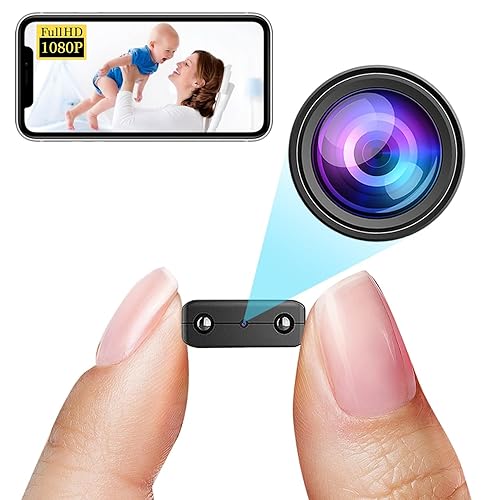
  • Hidden Camera technology detector arround you

    Hidden Camera technology detector arround you

    Detect hidden spy cams and listening devices. Trusted by millions

    * Our response via comments goes to update section of your gmail app*
    Detect Hidden spy camera using hidden camera detector app :

    Magnetometer feature need to have magnetic sensor in your phone, other wise this feature will not work.

    How to use this app. How to find camera ?
    Move app near to any device that you have doubt. For example – shower, flowerpot, lens looking part or changing room mirror.

    This app analyse the magnetic activity around the device. If magnetic activity seems similar to that of camera, this app will beep and raise alarm for you so that you can further investigate.

    You have to move app facing your sensor towards the object.To know sensor position of your phone, have any camera and move nearby top of your phone and bottom of your phone. When it beeps, you find the sensor position

    Infrared camera detector – This app has one more tool which is detect infrared lights.Just open the infrared detector and scan for white light that appear on screen but not visible by naked eye. Such white light indicate infrared light.It could be infrared camera. Your normal cam can also detect it but what we have is inbuilt feature with luminescence effect.

    What less, get some easy techniques that can save you from potential exposure to hidden camera.
    You can share the location with friends easily if you find the camera so that they can take precaution when they visit this place.

    If app crashes, for Infrared detector, please close other camera apps and try again.
    Do rate us and for any issues write to futureappstech@gmail.com

    FAQ

    My phone does not have magnetic sensor –
    This app analyse magnetic activity based on readings from magnetic sensor of your android device. If this sensor is not available, you can only use infrared detector feature. Other way is you can try on some other device having magnetic sensor.

    App beeps near metal or electronics –
    This app is not designed to detect metals. Metals are good conductor for electricity so they have electromagnetism but it is very weak and app is designed to ignore it.
    But sometimes, some type of metals depending on their length, material, temperature may exhibit same magnetic activity as that of camera. In that case app may beep. If so always look for lens on the suspect if app beeps.

    What do I do if it beeps near metal –
    Check if there is any lens on the suspect. If not, then you are secure. if you find lens like object, then there should be hidden camera.

    What is the use of this app, if I have to detect manually
    App analyses magnetic activity and warn you if it find magnetic activity similar to camera.
    So if app beeps, check for lens.
    App can not see if suspect is having lens on it but your eyes can see it likewise you can not see its magnetic/ electromagnetic activity but the app can analyze ! App will help you many times and may also fail sometimes and there it needs your intervention.

    Infrared detector is just a fancy green tool of normal camera. Normal camera can also detect infrared
    You are partially-correct. Along with this, infrared detector have luminescence effect to glow white light. If you feel better with normal camera, go for it. We never claimed something false. But please give credit to the app if you never knew IR camera can be detected using digicam. And off course, its a quick scanning feature within the app.

    App does not open Infrared camera detector. It shows not responding
    Please kill all other camera apps that are running in background.
    Get it now

  • HD Camera 2025 for android

    HD Camera 2025 for android

    Professional camera app for 4K video, HD brighter selfie & RAW moment camera pro

    A Free and professional DSLR camera app for android. You could experience DSLR camera features like a real canon camera as manual control, HDR, slow shutter, and 4K time lapse. HD camera Pro also supports RAW photos and 4K videos.

    Professional mode allows you to take long exposure, macro camera photos, and iPhone camera style selfie camera. And there are 100+ filters such as fujifilm camera and vintage film filters for the daily moment.

    HD Camera pro is a lite but all-featured app like a real digital camera for every moment. Professional but quick camera. It’s worth downloading!

    As follows:

    Professional HD Camera App:
    – Clear and brighter face cam and a 3x+ front zoom camera, native camera roll
    – Pro camera high definition with RAW(DNG) format
    – 4K pro video camera recorder to take pro filmic videos and vlog
    – High definition camcorder similar to iPhone 14 camera
    – HD camera lens photo blur effect
    – 20+ Moon camera awesome with Gcam camera night cam and low light camera
    – Macro focus and 10+ zoom camera for macro photo, vividly camera view
    – More HD selfies and daily snaps than the phone camera, HD Samsung smart camera app

    Multiple Shooting Modes:
    – Photo: Doubletake high definition front and back camera shooting, and support raw format
    – Video: Support camera 1080 and 4K format. You could also take a high-resolution promovie with a night video recorder
    – Pro Mode: This is a carousel camera, that provides manual shutter speed, exposure, WB, and focos like a real manual camera DSLR
    – Panorama: Simple and easy, stable help, intelligent cropping
    – Fast Burst Shot: Customized lens buddy with a high speed camera
    – Slow Shutter: Support for light trail camera and motion blur, DSLR professional camera plus
    – Time lapse: Support 4K HD video shooting
    – Filter: 100+ well-designed filters including disposable camera filter and vintage camera style

    Manual Control on DSLR Camera:
    – Exposure: Procam adjustments for exposure
    – Focus: Support macro focus and camera∞ focus, blur effect like DSLR
    – WB: White balance camera roll control also for the selfie lens
    – HDR: Hdr camera for simplyhdr, suitable for city and twilight views at night
    – AEB: Auto exposure bracketing, similar to Sony and Nikon SLR camera, with RAW support
    – AFB: Automatic focus bracketing, Ideal for macro insect and landscape photography

    More HD Selfies and Natural Face Cam:
    – Beauty camera 360 degrees around makes you cam perfectly
    – Open camera & photo share HD in Line and Snapchat Camera
    – Supports using one and bicam to take professional photos and videos.
    – HD double take pro camera
    – Solving various Android system camera problems, Samsung camera, Galaxy S22 Ultra, LG

    Professional Photography:
    – A real halide camera with a customizable flashlight
    – Adjust the slow shutter to achieve the long exposure photo and slow shutter focos video
    – Take low-light photos with a night-mode camcorder
    – Take high-resolution plant pictures with a macro focus and 10x+ zoom in
    -4K view for concert camera, HD food camera

    Other features:
    -Horizon Camera
    -Reeflex Pro Camera effect and slow shutter
    -Self timer camera for burst
    -GPS camera information
    -Super cam corder
    -Support camera +, camera 2, and Camera x function for Android
    -HD dual camera
    -Mix cam
    -Touch camera to capture
    -Ultra camera
    -More professional features

    Notes:
    Our features will continue to expand to meet your needs until you feel like having a real Canon and Sony camera.
    Some phones may not support the use of some features due to different phones.

    Get it now

  • Deleted photo, vedio, audio and other file recovery technology

    Deleted photo, vedio, audio and other file recovery technology

    One-tap recovery for deleted photos, videos & files in original quality.

    Lost important memories? File Recovery – Photo Recovery is here to help you! Our powerful recovery technology lets you effortlessly restore deleted photos, videos, and other files from your device or SD card—no root needed.

    Accidentally deleting precious memories may make you regret, but with File Recovery – Photo Recovery, you can breathe easy. With advanced scanning feature and powerful retrieval algorithm, File Recovery – Photo Recovery ensures you can restore any deleted file you need, even if you’ve formatted the device. Now, what you thought was lost forever, will all come back.

    Why Choose File Recovery – Photo Recovery

    📍 INSTANT RECOVERY: Restore deleted media in seconds with our lightning-fast scan technology
    📍ORIGINAL QUALITY GUARANTEED: Recover photos and videos in their pristine, original resolution
    📍 NO ROOT NEEDED: Safe, secure recovery without compromising your device
    📍 WORKS OFFLINE: No internet required, perfect for emergency recoveries anywhere
    📍 PREVIEW BEFORE RECOVERY: See exactly what you’re getting back before restoring
    📍 DEEP SCAN TECHNOLOGY: Find files others can’t with our advanced recovery algorithms

    Comprehensive Recovery Suite
    File Recovery – Photo Recovery doesn’t just find recently deleted files. Our intelligent scanning engine can recover:

    Photos: JPG, PNG, GIF, HEIC, RAW formats and more
    Videos: MP4, MOV, AVI, MKV—all your precious video memories
    🎵 Audio: Deleted voice memos, music files, and recordings
    Files: Recover documents and other important data

    Simple 3-Step Recovery

    1️⃣ Tap Scan to search for deleted files.
    2️⃣ Preview files before recovery.
    3️⃣ Select & restore with one tap!

    🔍 Powerful Features That Make The Difference

    Smart Filtering – Sort by date, size, or type to find specific memories fast
    Batch Recovery – Select and restore multiple files simultaneously
    Secure Deletion – Permanently remove sensitive files when needed
    SD Card Recovery – Rescue files from external storage with ease
    Organized Recovery – All restored files are neatly arranged for easy access

    Don’t wait until it’s too late! Deleted files can become unrecoverable if overwritten. Install File Recovery – Photo Recovery today and gain peace of mind knowing your precious memories are just one tap away from being rescued. Whether you accidentally deleted photos yesterday or months ago, our advanced recovery technology gives you the best chance to bring them back to life.

    Download now and turn the panic of deleted memories into the joy of recovery!

    Get it now

  • Translator

    Translator

    The world is closer than ever with over 100 languages

    • Text translation: Translate between 108 languages by typing
    • Tap to Translate: Copy text in any app and tap the Google Translate icon to translate (all languages)
    • Offline: Translate with no Internet connection (59 languages)
    • Instant camera translation: Translate text in images instantly by just pointing your camera (94 languages)
    • Photos: Take or import photos for higher-quality translations (90 languages)
    • Conversations: Translate bilingual conversations on the fly (70 languages)
    • Handwriting: Draw text characters instead of typing (96 languages)
    • Phrasebook: Star and save translated words and phrases for future reference (all languages)
    • Cross-device syncing: Log in to sync phrasebook between app and desktop
    • Transcribe: Continuously translate someone speaking a different language in near real time (8 languages)

    Translations between the following languages are supported:
    Afrikaans, Albanian, Amharic, Arabic, Armenian, Assamese, Aymara, Azerbaijani, Bambara, Basque, Belarusian, Bengali, Bhojpuri, Bosnian, Bulgarian, Burmese, Catalan, Cebuano, Chichewa, Chinese (Simplified), Chinese (Traditional), Corsican, Croatian, Czech, Danish, Dhivehi, Dogri, Dutch, English, Esperanto, Estonian, Ewe, Filipino, Finnish, French, Frisian, Galician, Georgian, German, Greek, Guarani, Gujarati, Haitian Creole, Hausa, Hawaiian, Hebrew, Hindi, Hmong, Hungarian, Icelandic, Igbo, Ilocano, Indonesian, Irish Gaelic, Italian, Japanese, Javanese, Kannada, Kazakh, Khmer, Kinyarwanda, Konkani, Korean, Krio, Kurdish (Kurmanji), Kurdish (Sorani), Kyrgyz, Lao, Latin, Latvian, Lingala, Lithuanian, Luganda, Luxembourgish, Macedonian, Maithili, Malagasy, Malay, Malayalam, Maltese, Maori, Marathi, Meiteilon (Manipuri), Mizo, Mongolian, Nepali, Norwegian, Odia (Oriya), Oromo, Pashto, Persian, Polish, Portuguese, Punjabi, Quechua, Romanian, Russian, Samoan, Sanskrit, Scots Gaelic, Sepedi, Serbian, Sesotho, Shona, Sindhi, Sinhala, Slovak, Slovenian, Somali, Spanish, Sundanese, Swahili, Swedish, Tajik, Tamil, Tatar, Telugu, Thai, Tigrinya, Tsonga, Turkish, Turkmen, Twi, Ukrainian, Urdu, Uyghur, Uzbek, Vietnamese, Welsh, Xhosa, Yiddish, Yoruba, Zulu

    Permissions Notice
    Google Translate may ask for the following optional permissions*:

    • Microphone for speech translation
    • Camera for translating text via the camera
    • External storage for downloading offline translation data
    • Contacts for setup and management of your account

    *Note: The app may be used even if AMK optional permissions are not granted.

    Get it now

  • Change you clothes to any color and design you need

    Change you clothes to any color and design you need

    Pro AI Photo Editor: Edit Images, Remove Backgrounds & Objects, Enhance Photos

    PhotoShot is an All-In-One Photo Editor to edit photos with hundreds of high-quality filters & effects, remove/change the background in your images, remove unwanted objects, retouch selfies, blur backgrounds, make PNG stickers, create avatars of yourself, zoom in/out, resize & crop photos, swap clothes, add text to photos, enhance & improve photos.

    PhotoShot Photo Editor Main Features
    Cartoonify
    Create your cartoon avatars in one tap with this AI Photo Editor
    Remove
    Remove unwanted objects like watermarks & logos
    Sky changer
    Replace the sky in photos with 50+ high-quality sky background presets
    Background Photo Editor
    Erase/replace 100+ backgrounds
    AI Photo Enhance
    Zoom, Upscale, Enhance & Restore damaged images to make them sharper
    Cutout
    One-click cutout with AI tool to remove background & make PNG image
    Effects
    Edit photos with Neon, Glitch, Drip, and Light effects to instantly transform images
    Filter
    Hundreds of free filters to edit photos & create aesthetic images for social media.
    Blur
    Blur & edit photos with pro motion blur & DSLR blur effect
    Add Text
    This Photo Editor Pro has 100+ fonts so you can write away your creativity in images!
    Blender
    Mix & blend two images to make stunning artwork automatically
    Crop
    Easily rotate, zoom & resize photos
    Resize
    Square & blur photo background for Instagram & Facebook
    Retouch Selfies
    Enhance, and beautify photos with hundreds of filters
    Clothes Changer
    Change the color of your clothes with this AI Photo Editor Pro
    Add stickers
    Create and add PNG stickers to photos

    100+ Filters
    -Use PhotoShot photo editor pro to edit photos, enhance & retouch photos
    -HSL color picker
    brightness, contrast, saturation, hue, warmth, etc
    -Retouch selfies with filters, effects & presets

    Cartoon Photo Editor
    -Create cartoon version of yourself in one tap with this pro AI photo editor in seconds
    -If you would like to swap your face into an Anime/Disney character, try this cartoon photo editor to instantly transform photos
    -Generate custom avatars using our pro AI photo editor

    Remove Unwanted Objects

    • Clean up pictures & remove unwanted objects with the Object Removal tool
    • Remove watermark and logos from images
    • Remove the background from photos & swap it with your favorite background presets to bring more attention to the subject of images
    • Erase sticker/unwanted text from photos

    Sky Changer

    • Replace the background in photos with a brand-new sky
    • With one tap, you can darken the background/change the background with a new sky
    • Make the subject in images pop with the pro sky changer which offers many sky presets
    • PhotoShot Photo Editor Pro has 50+ high-quality sky backgrounds

    Background Eraser & Background Changer
    -Auto cut out photos, remove & change the background of photos & create high-quality PNG images that are pixel-level accurate
    -Seamlessly combine cutout photos with creative background templates & presets
    -Apply 100+ 2D, 3D custom created trending backgrounds
    -Get a Transparent background PNG picture

    Clothes Changer
    -Change the color of clothes with PhotoShot Photo Editor Pro
    -Choose from a variety of designs & aesthetic patterns

    Photo Blender & Light FX

    • Overlays: PhotoShot Photo Editor is the simplest & easiest way to blend two pictures
      -Create double/multi-exposure images by blending/mixing photos to make stunning artwork & let your creativity run wild with this Photo Editor Pro

    Blur Photo Editor

    • Edit photos with this must-have free photo editor
    • Advanced blur photo brush
    • Blur photo background to get DSLR Blur Photo Effect

    Add Text to photos now

    • Over 10+ unique fonts to add the perfect message to images
    • Choose any font, color, alignment & border to put the perfect text on photos

    The PhotoShot Photo Editor Premium grants access to exclusive content all the time. Get all the top features with an ad-free experience.

    Get it Now

  • Fast and smart typing keyboard from your voice

    Fast and smart typing keyboard from your voice

    Fast and smart typing with emojis, GIFs and more

    Gboard has everything that you love about Google Keyboard – speed and reliability, glide typing, voice typing, handwriting and more

    Glide typing – Type faster by sliding your finger from letter to letter

    Voice typing – Easily dictate text on the go

    Handwriting* – Write in cursive and printed letters

    Emoji search* – Find that emoji, faster

    GIFs* – Search and share GIFs for the perfect reaction.

    Multilingual typing – No more switching between languages manually. Gboard will auto-correct and suggest from any of your enabled languages.

    Google Translate – Translate as you type in the keyboard

    * Not supported on Android Go devices
    Hundreds of language varieties, including:
    Afrikaans, Amharic, Arabic, Assamese, Azerbaijani, Bavarian, Bengali, Bhojpuri, Burmese, Cebuano, Chhattisgarhi, Chinese (Mandarin, Cantonese and others), Chittagonian, Czech, Deccan, Dutch, English, Filipino, French, German, Greek, Gujarati, Hausa, Hindi, Igbo, Indonesian, Italian, Japanese, Javanese, Kannada, Khmer, Korean, Kurdish, Magahi, Maithili, Malay, Malayalam, Marathi, Nepali, Northern Sotho, Odia, Pashto, Persian, Polish, Portuguese, Punjabi, Romanian, Russian, Saraiki, Sindhi, Sinhala, Somali, Southern Sotho, Spanish, Sundanese, Swahili, Tamil, Telugu, Thai, Tswana, Turkish, Ukrainian, Urdu, Uzbek, Vietnamese, Xhosa, Yoruba, Zulu and many more! Visit https://goo.gl/fMQ85U for the full list of languages supported

    Wear OS support: Everything you love about the Google Keyboard now available on your watch—speed and reliability, Glide Typing, Voice Typing, and more

    Glide Typing — Type faster by sliding your finger from letter to letter

    Voice Typing — Easily dictate text on the go

    Emoji Typing — Find your favorite emojis on your wrist

    All Wear OS languages supported, including:
    Chinese (Mandarin, Cantonese, and others), Czech, Danish, Dutch, English, Finnish, French, German, Hindi, Indonesian, Italian, Korean, Norwegian, Polish, Portuguese, Russian, Spanish, Swedish, Thai, Turkish, Vietnamese, and many more!

    Pro tips:
    • Gesture cursor control: Slide your finger across the space bar to move the cursor
    • Gesture delete: Slide left from the delete key to quickly delete multiple words
    • Make the number row always available (enable in Settings → Preferences → Number row)
    • Symbols hints: Show quick hints on your keys to access symbols with a long press (enable in Settings → Preferences → Long press for symbols)
    • One-handed mode: On large-screen phones, pin keyboard to the left or right of the screen
    • Themes: Choose your own theme, with or without key borders G1

    Get it now

  • Sms forwarder from any phone

    Sms forwarder from any phone

    Forward your SMS on multiple devices using email, phone number, telegram, or URL

    This app automates SMS forwarding from phone to email, telegram, and webhooks.

    • This SMS Forwarder app automatically transfers the SMS received on your phone to a phone number, email, telegram, or URL.
    • Only takes 1 minute to complete the app setup.
    • You don’t need to keep the app open.
    • The message will be forwarded to your contact details as soon as received.
    • This app will silently run in the background so that you can focus on important things.
    • Advanced Rule to add multiple receivers, customize templates, and schedule.

    Features:

    1. Forward SMS to a phone number as a text message.
    2. Forward SMS to an email.
    3. Forward SMS to telegram contact.
    4. Forward SMS to a URL.
    5. Messages received when the internet was not available will be forwarded once the internet is back.
    6. Auto Reply to received text message.

    It can also forward phone alerts:

    • Missed Call
    • Incoming Call
    • Outgoing Call
    • Low Battery
    • Phone Shut Down
    • Phone Turned On

    Who can use the Forward SMS app:

    1. Have multiple phones but want to carry only one.
    2. Workspace restrictions for carrying work phones only.
    3. Traveling to a different country.
    4. Creating a backup of your text messages on another phone or laptop.

    Steps to use

    1. Open the Forward SMS app.
    2. Grant required permissions.
    3. Create a basic or advanced rule and enter forwarding details.

    Permissions Required

    M01

    1. READ_SMS – Allows the app to read SMS details
    2. RECEIVE_SMS – Allows the app to receive SMS
    3. RECEIVE_MMS – Allows the app to receive MMS
    4. SEND_SMS – Allows the app to send SMS
    5. READ_CONTACTS – Allows app to read contact details which can then be used to find the SMS sender
    6. INTERNET – Allows the app to create a secure connection to transfer SMS to the user’s email
    7. CALL_LOG – Allows the app to read Call detail

    Get It Now